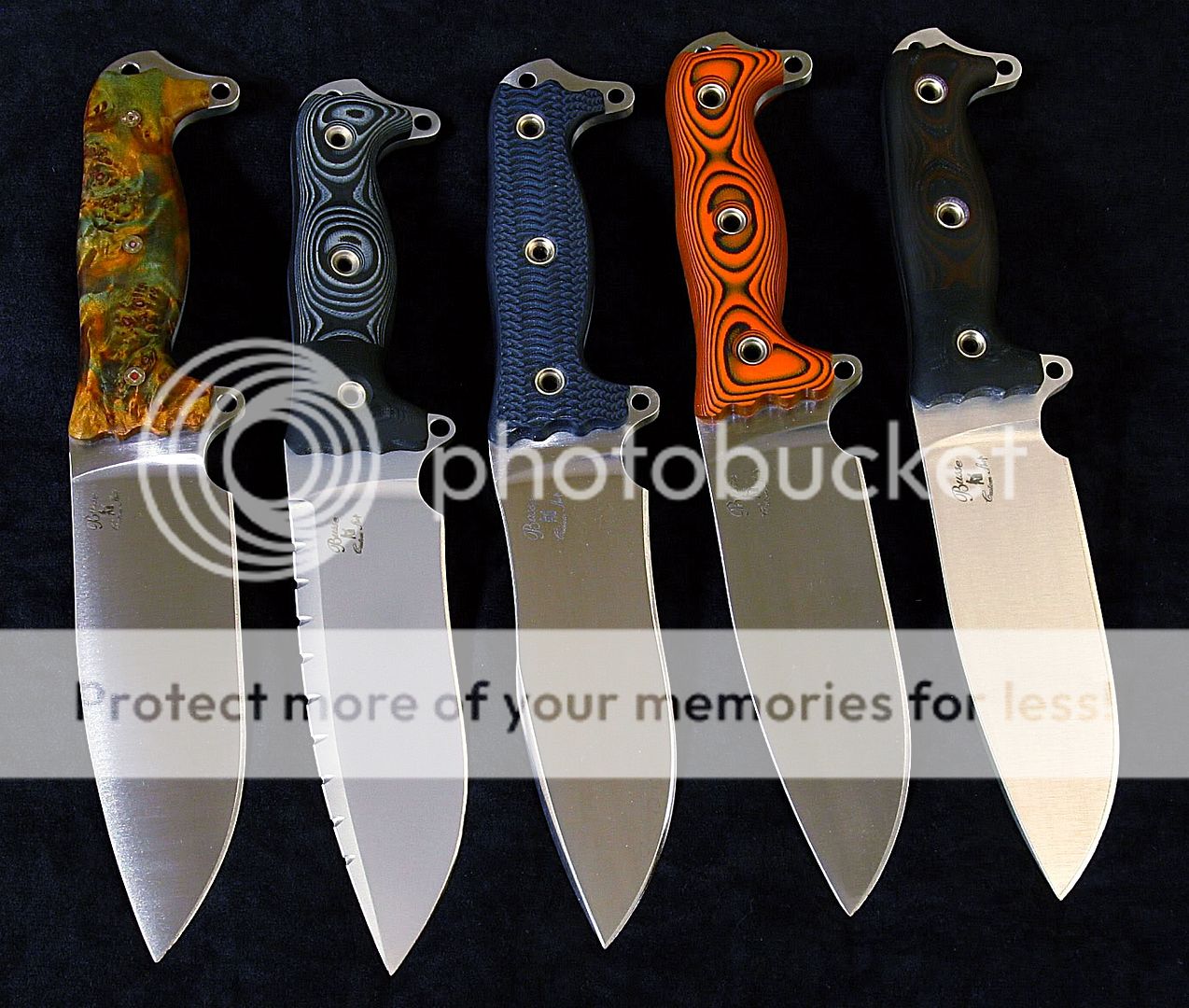
1st try at Lighting for photos, critique away

KellyGlanzer

Gold Member
Joined
May 4, 2005
Messages
1,886
I had a freind bring over some lights on sunday so we could play around with them. I have never had access to studio umbrella lights before. I only had two and the camera is only a two hundred dollar Canon 720 digital cheapy.
I got a few pics that turned out ok, not as good as Lundes or anything but I'm happy for a start.
Next I am going to build a lightbox as I won't have access to these lights very often.


6qe29m8.jpg


6ly1r10.jpg


6licwmo.jpg


8egdnhs.jpg


8a08zya.jpg
 
I think they look good:thumbup: but you might consider cooling off the color.

But that may just be the difference between our display. Many photos posted here look like the color has been "jacked up", but again that may be my display.
 
Holy Oinkin' Cool Pics!!!! :eek:

Very nice!!!! :thumbup:

I'm gonna need some of those lights!!!!

Jerry :D


.
 
Is that a Hell razor with mags?????
Great pics by the way. :thumbup:

i had that exact same configuration. the mags on the hr feel very similar to the mags on an sfno. if that helps any. :D


and great pics!!!
 
That's nice and all, but they would look better down here at my place.:D

Good job Bro! Very nice pics!:thumbup:
 
I had a freind bring over some lights on sunday so we could play around with them. I have never had access to studio umbrella lights before. I only had two and the camera is only a two hundred dollar Canon 720 digital cheapy.
I got a few pics that turned out ok, not as good as Lundes or anything but I'm happy for a start.
Next I am going to build a lightbox as I won't have access to these lights very often.


6qe29m8.jpg

good pics!
There is a bit of a color cast going on, and a little sharpening helps.
(of course my monitor here at work is not very good)
knives.jpg


Good work!
 
Cool, Did you use photoshop to "sharpen" How did you take the yellow out?

I used Photoshop- unsharp Mask for sharpening and used the curves palette for color correction. I just neutralized the cast on the double cut blade. Probably not perfect, but gets rid of the yellow.
 
Looking good man. I see I am not the only one enamored with the ASH1 and it's variants. :D
 
The pics look great, Kelly!
Rat's sharpening really made them pop.
Keep at it and make sure to share your attempts--when you've got subjects like that they're all going to look pretty good.
 
I actually really like canons consumer range. they are one of the very, VERY few companies that actually puts full manual mode into their cheaper lines. I have a sony w100 instead, but only for pocketability and speed. if i was willing to carry it outside of the pocket, i'd rather go with several of the canon consumer line.


I don't even care about the lighting, I'm just impressed by the handle variations present in one image.


critique - for the sake of critiquing (I think your photo's look just fine as they are):
your color balance goes noticeably from florescent/flash cool blue, to indoor/can descent warm. I think that some of the pictures that have a higher yellow saturation could benefit from some light color balancing.

some of the darker handle materials could use a little more light, but you'd have to be able to do it without increasing the harsh light present on the satin finishes, so it would have to be very diffused and even.

your background color, given even a slight shadowing at the edge of the handle, is somewhat obfuscating for the profile of the handle. by using a lighter background material, you can give the shadows something to contrast on, giving an immediately recognizable edge profile to the handles. you could also get around this by brightening the edges of the handles, as long as the flats aren't over lit.
 
Back
Top