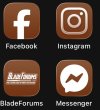
BladeForums on iPhone

JSwanagon

Gold Member
Basic Member
Joined
Apr 4, 2013
Messages
41
Hello all,

Long-time listener, first-time caller. Just kidding.

I'm sorry if this is the wrong place or if it has already been answered. I searched and couldn't find anything.

Is there a good app that lets you use BladeForums on the iPhone?
 
Safari works fine. But, full disclosure, I have so many tabs open in Safari that things get lost. lol.

I'm just wondering if there is a dedicated app to access it a little faster.
 
Maybe use a different browser just for BF? I find Firefox and DuckDuckGo work pretty well when Safari decides to go wonky, and there are others. But I’m OCD about closing tabs, specifically because I can’t stand a mess every time I open my browser. If there’s something I know I’ll need to find again, I’ll bookmark it before closing it. And I hard-close almost every app when I’m done using it. Like I said, OCD.
 
Maybe use a different browser just for BF? I find Firefox and DuckDuckGo work pretty well when Safari decides to go wonky, and there are others. But I’m OCD about closing tabs, specifically because I can’t stand a mess every time I open my browser. If there’s something I know I’ll need to find again, I’ll bookmark it before closing it. And I hard-close almost every app when I’m done using it. Like I said, OCD.
I have always done this on both IOS and Windows. I cannot stand a s-load of tabs. I think that it takes longer to locate what you want.
 
Using a second browser just for BF is a great idea.

Thanks, all.
 
I found something that works really well.

It turns out, on the iPhone you can convert any webpage into an app on your Home Screen. And it is working just like an app. It isn’t opening Safari.

When you are in Safari, click on the share button. When the dialog box comes up, select “Add to Home Screen.”

It looks and acts just like an app and is working perfectly.

IMG_3200.jpeg
 
I found something that works really well.

It turns out, on the iPhone you can convert any webpage into an app on your Home Screen. And it is working just like an app. It isn’t opening Safari.

When you are in Safari, click on the share button. When the dialog box comes up, select “Add to Home Screen.”

It looks and acts just like an app and is working perfectly.

View attachment 3007829
I did not know this - I thought it just added the bookmark to the Home Screen as a link and would behave like your other Safari favorites. Which it kinda does, but when you close it, it doesn’t leave the tab open in Safari. Very cool.
 
I did not know this - I thought it just added the bookmark to the Home Screen as a link and would behave like your other Safari favorites. Which it kinda does, but when you close it, it doesn’t leave the tab open in Safari. Very cool.
Yeah, definitely give it a try. It works really well.
 
Back
Top