Precision Edge Sharpening
Mail in sharpening service
- Joined
- Jul 8, 2023
- Messages
- 80
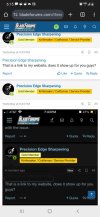
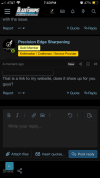
It happened to me and I’ve seen it elsewhere that when you try to put in a link, it is just a blank button.

The BladeForums.com 2024 Traditional Knife is available! Price is $250 ea (shipped within CONUS).
Order here: https://www.bladeforums.com/help/2024-traditional/

Some details would be helpful.It happened to me and I’ve seen it elsewhere that when you try to put in a link, it is just a blank button.

Your odds of getting an explanation are best if you provide enough information so that someone else can duplicate what you are experiencing.It happened to me and I’ve seen it elsewhere that when you try to put in a link, it is just a blank button.

You are using a browser, in this case Safari. The link is like a shortcut to the webpage. Try clearing the cache on Safari. Look in Settings for Safari, then find "Clear History and Website Data". Make sure your iPhone is fully up to date, at least to the highest level supported by your phone.I am on an older iPhone SE, I’m not using a browser, I have bf saved to Home Screen and it’s more like an app. And any links are like this, but if I’m the only one experiencing this, don’t worry about it
I am on an older iPhone SE, I’m not using a browser, I have bf saved to Home Screen and it’s more like an app. And any links are like this, but if I’m the only one experiencing this, don’t worry about it
Start with the advice from SharpBits.You are using a browser, in this case Safari. The link is like a shortcut to the webpage. Try clearing the cache on Safari. Look in Settings for Safari, then find "Clear History and Website Data". Make sure your iPhone is fully up to date, at least to the highest level supported by your phone.
Yes. It shows.Precision Edge Sharpening
That is a link to my website, does it show up for you guys?