

- Joined
- Nov 29, 2012
- Messages
- 75
I have spent hours here looking back at all of the etching posts as well as general internet searches to figure out how I want to etch my name into the spine like Fiddleback, Surls, etc. Don't want to mess up the sides of a pretty blade (at least I hope mine turn out purdy).
First, I ordered a sheet of stencil and developer from IMG. Then I selected a nice font in 9pt and duplicated my name like 200 times. Next I bought some sheets of clear transparency. Then I had to call several friends until I found someone with an Inkjet printer. I tried printing with my Laser and the images were gray and blotchy which would transfer to the stencil. After getting a sheet printed (ended up smudging some of the images as the ink doesn't dry right away on the acrylic). Cut stencil into 4 squares, took a square and covered it with a quarter of the transparency to make about 50 images in the bathroom with a 25w incandescent light on. Exposed the stencil for 45 seconds under a really fancy LED grow light I have for hydroponics. Used an old soft toothbrush in the developer and ended up with a pretty decent stencil for a first try.
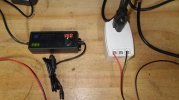
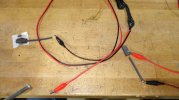
I had looked at all of the fancy etching machines like Personalizer and Etch-O-Matic and decided I wasn't going to blow a bunch of cash on something so simple. Not being an electronics whiz I decided not to try to build my own DC/AC box. After some searching, I ended buying a variable voltage DC charger @ 2.5a from Amazon ($20) and a 16v AC Doorbell Transformer @ 2.5a ($14) (it actually puts out 18.5v - leave it to the Chinese to get it just 'sorta close' to spec). I also picked up 5 1"x1/2" carbon brushes on Ebay for $11. I also bought the Knifemaker's Electrolyte Kit from IMG with E600, 110A, SC-44, and 96 electrolytes for $20 (plus $20 to ship - ouch). Oh, and $5 on Ebay for two sets of alligator clip leads.
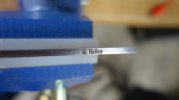
My very first attempt to etch on the spine absolutely blew me away! Using the 94 Electrolyte and dabbing the stencil for 3 minutes at 18vDC then 1 minute at 18vAC I got a really deep etch with a nice black finish. It looks exactly like a Fiddleback etch. Test piece is CPM-154 pre HT using a not so perfect piece of stencil ('G' is blotchy).
I am going to experiment with the different electrolytes and different DC voltages for different etch times, but the first try is so good I may just try the others for giggles and record the differences. Might even try the old Q-Tip method instead of the carbon brush.
Total investment for Stencil & developer, Electrolyte Kit, DC and AC power sources, and brushes was $125. I hope this helps anyone struggling with how to do this without taking out a bank loan for equipment.
First, I ordered a sheet of stencil and developer from IMG. Then I selected a nice font in 9pt and duplicated my name like 200 times. Next I bought some sheets of clear transparency. Then I had to call several friends until I found someone with an Inkjet printer. I tried printing with my Laser and the images were gray and blotchy which would transfer to the stencil. After getting a sheet printed (ended up smudging some of the images as the ink doesn't dry right away on the acrylic). Cut stencil into 4 squares, took a square and covered it with a quarter of the transparency to make about 50 images in the bathroom with a 25w incandescent light on. Exposed the stencil for 45 seconds under a really fancy LED grow light I have for hydroponics. Used an old soft toothbrush in the developer and ended up with a pretty decent stencil for a first try.
I had looked at all of the fancy etching machines like Personalizer and Etch-O-Matic and decided I wasn't going to blow a bunch of cash on something so simple. Not being an electronics whiz I decided not to try to build my own DC/AC box. After some searching, I ended buying a variable voltage DC charger @ 2.5a from Amazon ($20) and a 16v AC Doorbell Transformer @ 2.5a ($14) (it actually puts out 18.5v - leave it to the Chinese to get it just 'sorta close' to spec). I also picked up 5 1"x1/2" carbon brushes on Ebay for $11. I also bought the Knifemaker's Electrolyte Kit from IMG with E600, 110A, SC-44, and 96 electrolytes for $20 (plus $20 to ship - ouch). Oh, and $5 on Ebay for two sets of alligator clip leads.
My very first attempt to etch on the spine absolutely blew me away! Using the 94 Electrolyte and dabbing the stencil for 3 minutes at 18vDC then 1 minute at 18vAC I got a really deep etch with a nice black finish. It looks exactly like a Fiddleback etch. Test piece is CPM-154 pre HT using a not so perfect piece of stencil ('G' is blotchy).
I am going to experiment with the different electrolytes and different DC voltages for different etch times, but the first try is so good I may just try the others for giggles and record the differences. Might even try the old Q-Tip method instead of the carbon brush.
Total investment for Stencil & developer, Electrolyte Kit, DC and AC power sources, and brushes was $125. I hope this helps anyone struggling with how to do this without taking out a bank loan for equipment.
Last edited:

