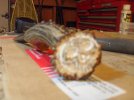
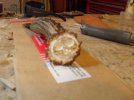
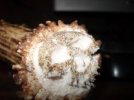
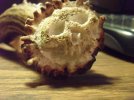
OK ???????, maybe some new photos will help.
I can't really tell from the photos, but it looks like you cut the main lines into the crown. If that is what is there, it is backward. Remove the background , and slowly raise the skull from the crown. This will give a realistic look instead of a sketch look. The old saying is, " just carve away everything that doesn't look like a skull.
With a pencil, draw the skull outline, the eye sockets, nose, and mouth hole placement. Start with just a little depression at the eyes and nose. Now, go to the outline and start cutting back and away from the skull. Make this about 18" deep to start. Then start shaping the skull. As you shape it, keep lowering the background. Once the main body of the skull is revealed, start shaping the orbits and other holes and depressions. The teeth should be the last thing carved. Take a little at a time off and move around. Don't try and carve any one feature in a complete step. One it looks pretty good - STOP - and set it down for a day......then pick it up and look it over. You will see little things that need a touch up here and there.