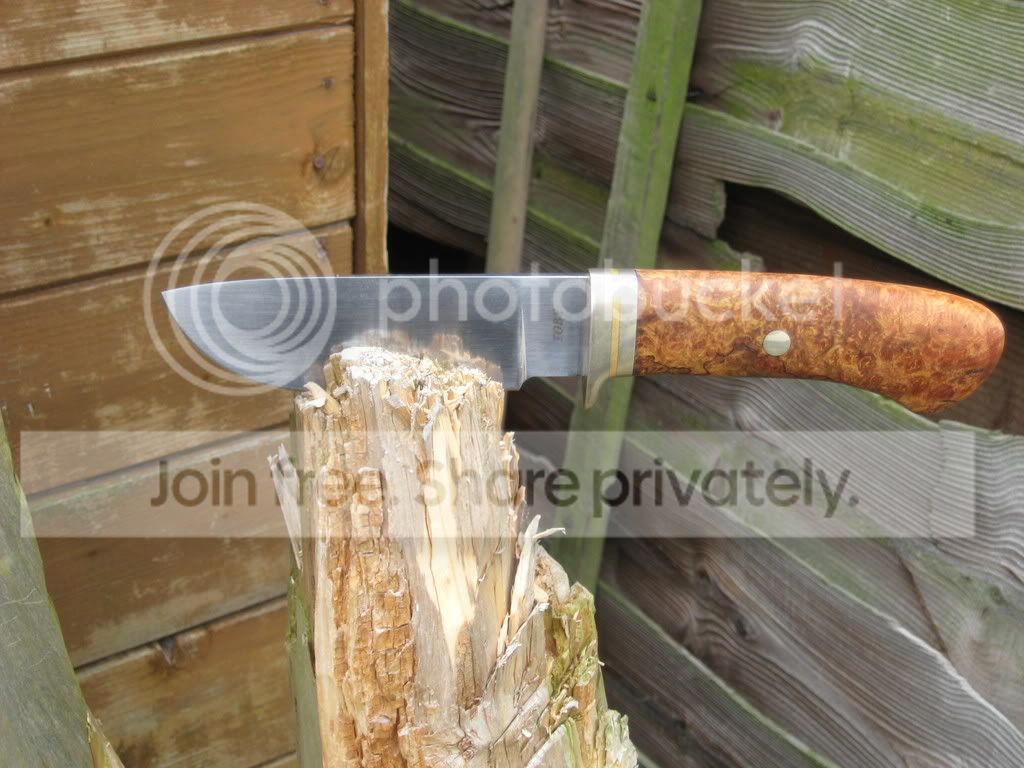
Damascus guard fitting

Joined
May 11, 2008
Messages
710
As you can tell by my number of posts, I am fairly new to this forum.
However, it has so far provided me with some quality entertainment, (cold steel & mantis knives threads alone can keep you entertained for hours!!)
I have been making knives seriously for 3 years now and have just completed my first damascus blade. Nothing fancy, just 9 layers of different saw blades. (I'll post a picture when its finished, once Ive worked out how to!)
The blade is finished ready for the guard to be fitted, but I'm not sure whether to etch then solder the guard on or vice versa.
Some advice would be greatly appreciated.

Ian.
 
Is the guard damascus also? what shape guard are you going to use? What I would suggest is, fitting the guard, handle , etc to the blade , take to final shape and finish, then remove, etch blade, and guard and attach using JB weld, attaching the handle at the same time keeps everything where its suppose to be, use several pins holding the parts in palce, this way it will slide together properly. All this takes more time and patience but it will look cleaner when finished. JMO.

Bill
 
Atakach & Teksec, thank you very much for your time.
In reply to B. Buxton, the guard is single and made of 1/4" brass. (I prefer
3/8" but my blade is only 2 3/4" due to not making the billet big enough!!
live and learn eh?)
My main concern was whether the heat/clean up from the solder would spoil the etch, or if done the other way round, the ferric chloride would spoil the guard joint.
I'm normally a stock removal man and this is only my second forged blade, so damascus is a rather big step for me.
I can see how people become addicted to it!! The satisfaction of getting a flaw free weld is something else!
Thanks

Ian
 
JB weld is a 2 part liquid metal that you mix like all 2 part epoxies.

Since your using brass and soldering, I'd go ahead and solder the guard material in place, finish sanding the face of the brass first, there are some solders that ferric chloride will attack pretty aggressively, just be aware of that. once you have the brass soldered in place and cleaned up, coat the brass using fingernail polish, then when you etch the blade it will protect the brass from the etchant.

Have fun,

Bill
 
I took your advice with the nail polish, it worked a treat.
I'd like to post a picture but I havent worked out how to yet! I can't seem to get them from my files to the thread.
Thank you for sharing your time/knowledge with me. Its very much appreiciated.

Ian
 
Thanks! If you could possibly explain how to post them you could!!
I can't work it out at all, mind you I am the most computer illiterate user on here I would imagine!
I've got loads of knives I'd like to post in order to see what people think of my work.

Ian
 
the way i did it was to sign up to a phot hosting site such as photobucket

http://photobucket.com/

you then upload your pictures to photobucket ( it's quite simple there's a bit at the top roight which says "upload images and video" and a button saying " choose files"

when you've uploaded them, you can then copy the image link this is at the bottom of the picture and will be a line of text next to the words "img code" just click it and this automatically copies the code.

then, copy it into a post here by pressing control and v like this:

IMG_0268.jpg
 
Excellent, thanks for that. I kind of guessed it was something along those lines.
As I say - computer illiterate!
I'll give it a go & put some stuff on the gallery.
Nice looking blade by the way.

Ian
 
Funnily enough I read about him for the first time today in the latest Gun Mart.
Doing some good stuff by the look of it.
 
Oh, by the way, I'll hopefully have the sheath for the damascus finished tonight.
If all goes well i'll post that and some of my other efforts on the general gallery tomorrow.
And wait for the criticism to flood in. . . . .!!!!!

Ian
 
Another way to post photos (without having to use another server/service) is to just upload them directly from your computer. When you're posting to a thread there is a "manage attachments" option below the message entering screen. Just click on it, then browse to you file on your computer, select it and upload it. It gets put on at the end of your message. Preview your message before submitting it to double check everything.

We look forward to seeing what you've done.
 
Its getting very near to the point where I take this piece of **** to the workshop and introduce it to my anvil and hammer.
I don't seem to have a "manage attachment" option when I go to post a new thread, and when I click on insert image I don't know what URL means!
I've put my pictures on photobucket, but I'm still confused. (and stupid probably)
Please someone give me an idiots guide!!!
The knives will have rusted to dust by the time I've worked this out.
God I hate technology!!

Ian
 
You won't have a manage attachments option as you are not a paying member. That is only available for Knifemaker status or above. The 'URL' is the address of another storage point for your pic (like Photobucket, etc.). The 'URL' would be an address like http://home.comcast.net/~eboese/Sheath4_small.jpg except it would be the address of where the image is stored. Let me know if you have any other questions....
 
A big thank you to everyone who has helped me to post some pictures.
After all that, some of my efforts are now posted on the general gallery.
Hope they are worth it!!!
Regards,

Ian
 
Back
Top