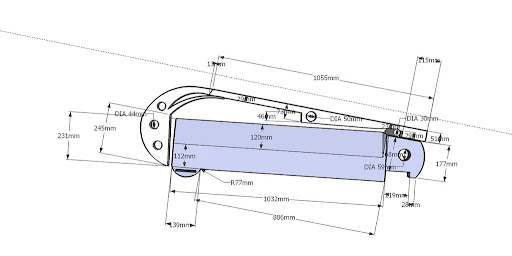
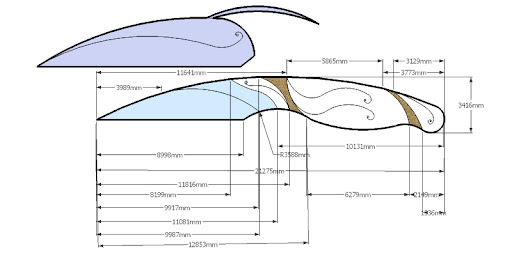
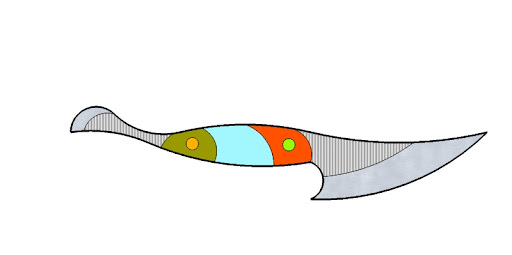
I did a graphic for another post seeking advice. Someone lamented about being able to do something similar. I thought I would offer up how I did it. It's brute force ('cause I don't know another way) but here's what I did.
Open the attached Word document. <Right click> on the line that makes up the blade edge, you will get a menu. Click <edit points>. You'll then see a series of points along the legth of the blade. Hover on one, hold down your left mouse button and drag your mouse. The <right click> menu also allows adding and deleting points. Experiment and play.
I use Powerpoint for my day job. It has drawing capabilities as does Word and Excel but I'm comforable with ppt. To create the drawing, use the menu <autoshapes/lines/curve> point-click-drag your mouse-click-repeat. Each time you stop and start, on the same line, you create edit points along that line that you then go back and tweak up/down/left/right to get curves. To get the bumps out and smooth the curves, try blowing the image up to the max and move the points pixels at a time. I said it was brute force. I'm no artist and the tools are free.
Create your work in logical small pieces: blade spine, blade edge, handle spine, handle bottom, finger guard, etc. Save your work often (ctrl s)...trust me... You'll then have templates to "cut and paste"...makes the next one easier. Plug n play to your heart's content.
You can google "free drawing software". I did a quick test on this site
http://www.litha-paint.com/demo.html and was able to replicate what I did in Powerpoint.
Open the attached Word document. <Right click> on the line that makes up the blade edge, you will get a menu. Click <edit points>. You'll then see a series of points along the legth of the blade. Hover on one, hold down your left mouse button and drag your mouse. The <right click> menu also allows adding and deleting points. Experiment and play.
I use Powerpoint for my day job. It has drawing capabilities as does Word and Excel but I'm comforable with ppt. To create the drawing, use the menu <autoshapes/lines/curve> point-click-drag your mouse-click-repeat. Each time you stop and start, on the same line, you create edit points along that line that you then go back and tweak up/down/left/right to get curves. To get the bumps out and smooth the curves, try blowing the image up to the max and move the points pixels at a time. I said it was brute force. I'm no artist and the tools are free.
Create your work in logical small pieces: blade spine, blade edge, handle spine, handle bottom, finger guard, etc. Save your work often (ctrl s)...trust me... You'll then have templates to "cut and paste"...makes the next one easier. Plug n play to your heart's content.
You can google "free drawing software". I did a quick test on this site
http://www.litha-paint.com/demo.html and was able to replicate what I did in Powerpoint.