How come my pics are different

Joined
Jun 20, 2007
Messages
1,361
The title is self explanatory, how come my pics when I post them are different from others I see posted.

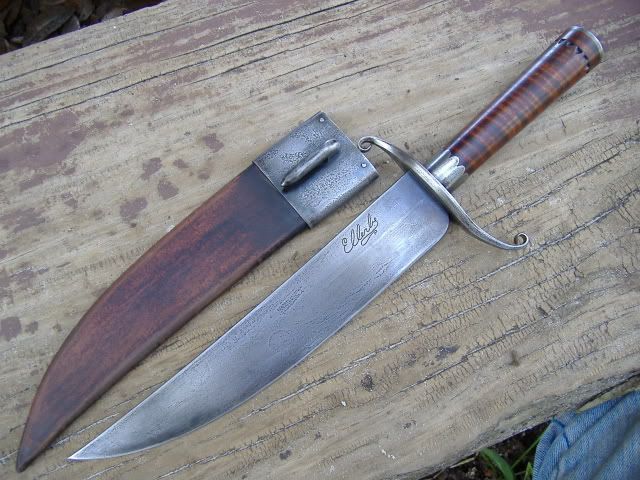
For example when I see one like this from this thread from Dan Pierson’s recent thread.


http://www.bladeforums.com/forums/showthread.php?p=9458035#post9458035

I hope you don't mind me using your thread as an example of what I am talking about Dan!

This is a thumbnail if I post it from photobucket!

If you click the tumbnail it will enlarge but with the one like in Dan''s thread all you need to do it point at the tumbnail and it automatically enlarges!:eek:


Or I can post a full picture:

IMG_0403-1-1-1.jpg

However neither of them come out like the pictures like Dan posted and mostly what I see others posting.

Is it the host I am using to post from...... (Photobucket) or is it something about the way I am posting the pictures.


In other words how do I post pics and they come out like the thumbnail that Dan and others have posted.

I am trying to figure out the difference in posting pictures and I would appreciate any help on this subject!
:confused::confused:
 
When you make a post, if you scroll down further there is a section for attachments. Doing it that way BF hosts the photo.
 
For just a link, copy and paste it and it will be there.

If you upload direct to Bladeforums you will get a thumbnail.

If you put a direct "link" (not the correct word) of an off-site hosted photo between
it will put a photo there. Click on the insert image icon to get them to pop up, it looks like a box with mountains and a sun in the background, you can see it in the message box as you type.

You can take the same concept and post youtube videos directly, they are hosted by youtube so they don't take up much bandwidth that way. Put the video "link" between [youtube] [/youtube] and it will show up.
 
Last edited:
OK I admit I am technically challenged but are you talking about the insert link or insert image or am I totally missing something?
 
OK I admit I am technically challenged but are you talking about the insert link or insert image or am I totally missing something?

Insert image icon.

Just click on it and take your photobucket/imageshack/whatever "link" and put it between the bracketed words.

Sorry I called it the photo icon, I just edited it to make sense. :D
 
Last edited:
I just barely have a grip on this if you can't tell, lol. :D
 
Dixie, at the bottom of the advanced post page you have "Additional Options" then "Attach Files" then click "Manage attachments".

While we are at it, sometimes I see pictures hosted on BF (small thumbnails in a row at the bottom) but there is also a large version in the same post. How d'you do that?:confused:
 
This is what I see at the bottom of the page under Additional options!

Miscellaneous Options
Automatically parse links in text
Disable smilies in text Thread SubscriptionNotification Type:
Do not subscribe No email notification Instant email notification Daily email notification Weekly email notification

Damn I felt dumb before but now I am lost in space somewhere! :eek:

I can post from Photobucket like this


However if I try to use the insert image from bladeforums it comes out like this
th_IMG_0403-1-1-1.jpg
[/URL][/IMG]
 
Probably the difference between paid subscription and not paid. Can you get to chat and I'll try to help you?
 
Patrice Lemée;9462195 said:
Probably the difference between paid subscription and not paid. Can you get to chat and I'll try to help you?

That may be the difference! I have got to go right now as I hear my grandson he has just woke up from his morning nap! Thanks for all the help anyway Pat!
 
The way I do it, is upload my pic to photobucket (or whichever you choose), check your picture on the site, photobucket if you click in the "direct link" box, it copies the link. Then in the reply or new post box, type what you want then click the "insert image" icon, paste the link (check you don't have 2 "img") then post. If you use the "image code" link, all you have to do is type what you want then paste (or right click paste) there is no need to click the insert image. This should give you normal sized pictures in your post, it has worked so far with mine.
 
That may be the difference! I have got to go right now as I hear my grandson he has just woke up from his morning nap! Thanks for all the help anyway Pat!

Yes, I think you have to have a paid subscription to post thumbnails.
 
However if I try to use the insert image from bladeforums it comes out like this
th_IMG_0403-1-1-1.jpg
[/QUOTE]

Quote this to see what I did, I'm no computer dude but I "cleaned" it up and it worked.
 
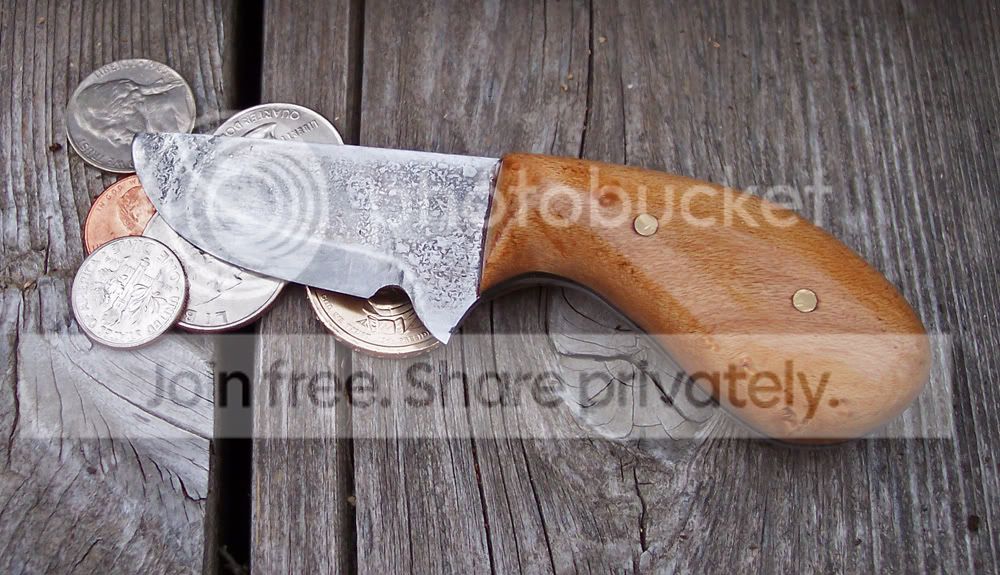
Dixie. Get a Photo Bucket account. It's free. They recently improved to where you don't use the "direct Link". You just click PB's image code and it copies. Then you go to your post and click paste and it is there. Two clicks, just like this.

pennyknife677_640x480.jpg
 
Man it's hard to run a nursery (I have my two grandsons during the day) one is two and the other 9 months old, take care of my sick wife and build knives but, hey I am back! After I got evryone fed and down for an afternoon nap! :D

I can do that LRB, I was trying to make my pics like those you see where the thumbnails are strung together and it asks if you want to see the previous image or next image.

IMG_0403-1-1-1.jpg


I think it may be the fact you have to have a paid membership. If that is the case I will have to wait. As till I can get more time to work on knives this knife bussiness ain't paying for anything right now! :eek: :D

I just liked the way those photos looked and how they had them set up and didn't know if I just didn't know how to do it or I was missing something, or had the wrong site for hosting.

Thanks to everyone that chimed in here to try and help! :thumbup:
 
Last edited:
Sparky, BF and the interwebz hate you! :D I got no other help for ya!

OK I admit I am technically challenged but are you talking about the insert link or insert image or am I totally missing something?

I'd say you're more than just "technically challenged" but you're inspiring :barf:

:D:D:D

Bet you're rethinking that whole "welcome back to BF Will" think now aren't ya ;)
 
I do not have a paid membership and the pictures I've posted from photobucket look fine. Here's a random one.
Piggyk60downrez.jpg


My guess about your pictures looking different is that it is due more about lighting and focus then who hosts your pictures. Just my guess.

- Paul Meske
 
Back
Top