The first two instructions will get you up and running. The next two are in more detail for more complex situations.
1. Paid members can upload from their computers, but anyone can open a photo hosting account.
I use
www.photobucket.com . Download your pictures and they give you a URL for each picture.
Use the fourth URL, with the tags already in place. Copy & Paste that in your post here.
2. Another way: go to [url]http://www.imgur.com[/url] and upload your image.
After uploading, select the BBCode option - it starts with [IMG]. Copy & Paste to your thread.
3. You should also [URL="http://www.bladeforums.com/forums/showthread.php/353471-READ-THIS-FIRST!-How-to-ask-questions-that-get-answered"]READ THIS FIRST! How to ask questions that get answered[/URL] which includes photo posting instructions.
4. For a detailed TUTORIAL: Displaying your photographs on BladeForums
[url]http://www.bladeforums.com/forums/showthread.php/742638-TUTORIAL-Displaying-your-photographs-on-BladeForums[/url]



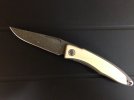
 Success just needed to move the file into the public folder.