photography woes / need advice please

Joined
Jun 16, 2008
Messages
1,699
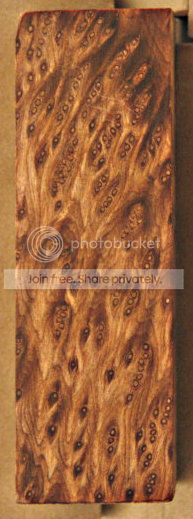
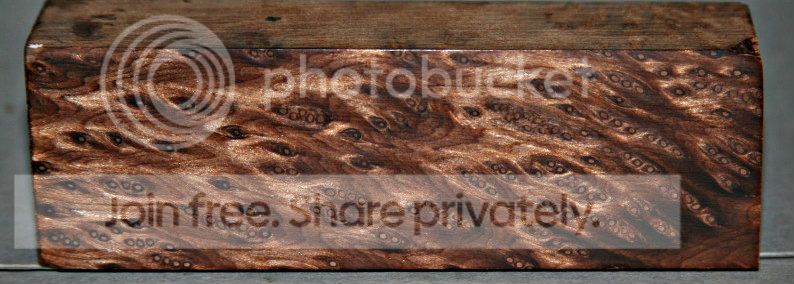
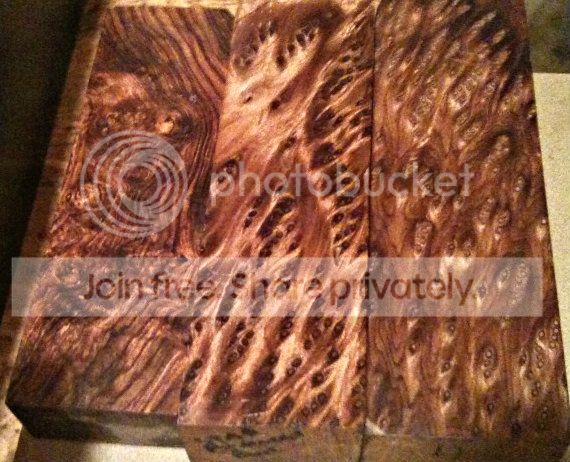
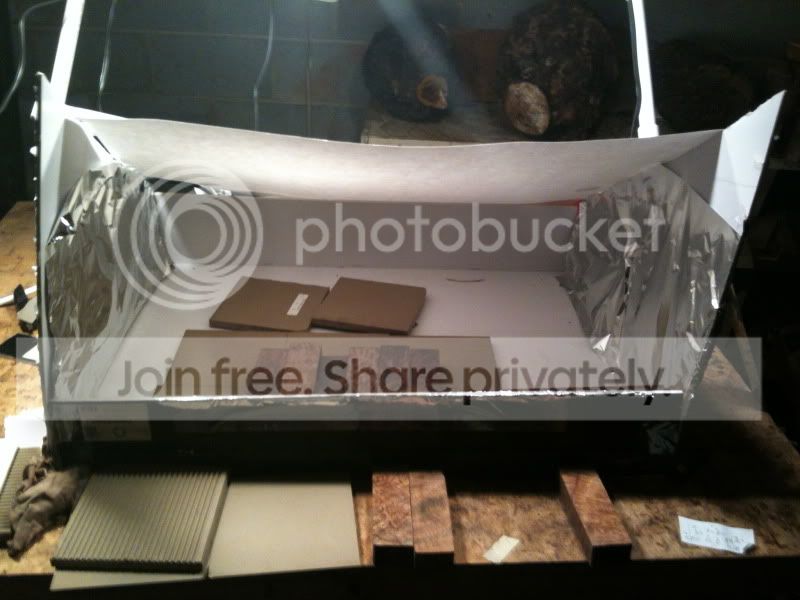
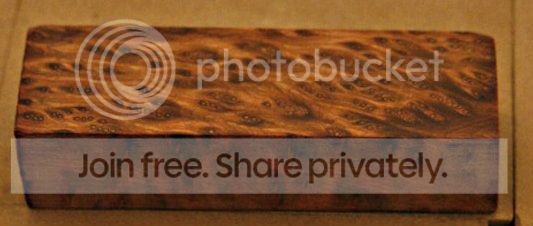
Hello all, Im a bit frustrated, I recently made a light box (following a photographers direction). I attempted to take photos of some wood blocks. I have a tripod and 4 adjustable lights, as well as different materials used to cover the light box. I have tried every combination of light positions as well as every combination of aperture, shutter speeds, and auto settings. . I cant seem to get a clear photo with the correct colors. I use imac iphoto shop for editing or photobucket. I lay a block flat on the floor of the box, but the photo seems better when its at a 45* angle- ( I put a tile standing up and slightly lean it back, then i place a block against it. Photos -----#1, block laying flat. #2, block against a tile ( slightly tilted backwards, approx 30*-45*), using this setup ,I would have to stack blocks atop each other for a multiple block photo, or stand the blocks vertically . #3. Just a auto flash shot- no light box-no editing.Again, because of the flash angle, i would only be able to stack 2 ,maybe 3, blocks atop each other to get a photo thats defined without a glare. #4. iphone-no light box- no editing. Any advice would be appreciated. Thanks-Mark -

#1
_MG_13131.jpg


#2
_MG_13121.jpg


#3
IMG_11761.jpg


#4
IMG_08801.jpg
 
Last edited:
what are you using for light sources? looks like you have some sort of fleurescent possibly with a little daylight thrown in? You should have come to Ashokan, on Friday I taught a class that addresses all of this :)

seriously, take a pic of your setup that includes the room and light sources and I can give you some relevant advice

-Page
 
Click here for a Photography 101 doc that I wrote years ago.

Photography is all about light. Light has two properties, color and intensity. Your eyes / brain are a miracle, no matter what color the light is, you still see objects in their correct color. Your camera is not a miracle, it guesses what color items are supposed to be based on all the colors in the scene. They generally guess pretty good, but still a guess and are easily fooled when your scene contains mostly one color and very little gray (like your example). The lack of any gray color for your camera to guess the correct white balance off of is one of your main problems. What kind of camera are you using? Does it have the ability to shoot RAW or the ability to set a custom white balance? If it does, buy a gray card (about $5) and learn how to use it to set a custom white balance (or shoot in RAW and set the white balance when you convert to jpg). The gray card gives you a standard, a reference, so you know exactly what color your lights truly are, then tell your camera or RAW converter what color they truly are, then boom, your photo has accurate colors. White balance has two adjustments, temperature bias, warm (yellow) to cool (blue), and one for tint bias (green to red).

Until you use a standard to measure the lights color and set the white balance correctly, you won't get consistently accurate photos. The standard can be as cheap as the aforementioned five dollar gray card, or as expensive as a $100 Color Checker or Expodisk. I own them all, save your money and get a gray card. Once you get your white balance correct, adjust exposure while viewing the histogram, and your resulting photos will be consistently accurate.
 
what are you using for light sources? looks like you have some sort of fleurescent possibly with a little daylight thrown in? You should have come to Ashokan, on Friday I taught a class that addresses all of this :)

seriously, take a pic of your setup that includes the room and light sources and I can give you some relevant advice

-Page
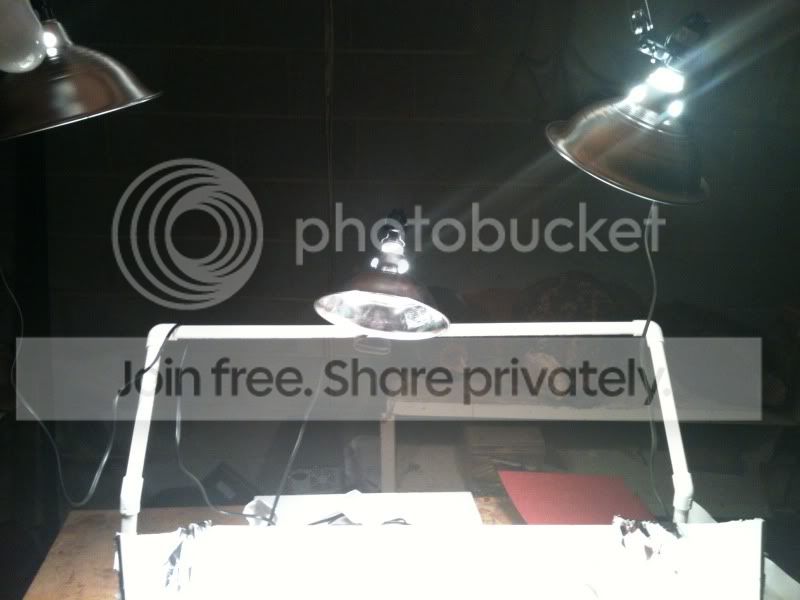
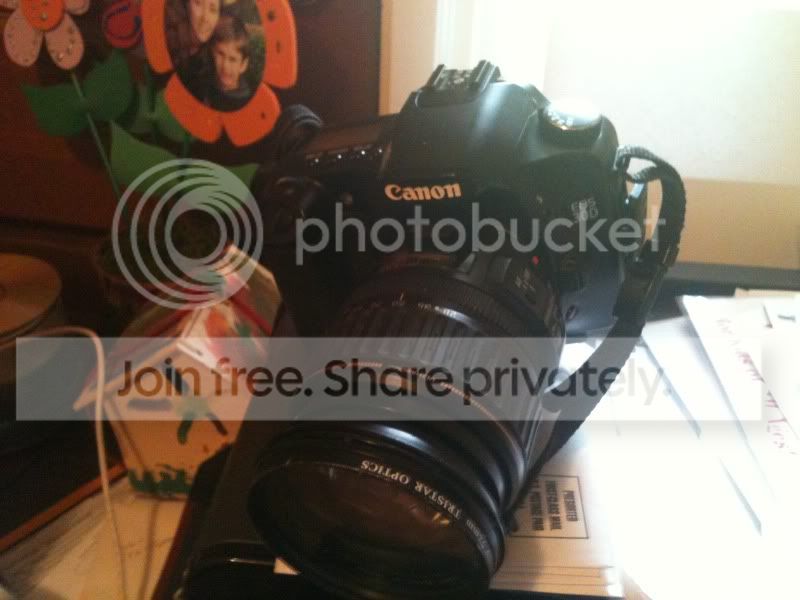
Thanks fellerz. I had it all taken down, so i tried to hurry up and put it somewhat together, so you can get an idea. I took a few quick photos of my set up. There is no light besides the adjustable 75watt bulbs. I have 3 that im using. I set them up in different positions throughout my trials. I have a pvc set up to hold the lights, i also use the basement beams. i currently have some white poster sheets that im using for a cover/ diffuser. I tried few different covers. Thats my camera…thanks-Mark
IMG_0883.jpg


IMG_0885.jpg


IMG_0881.jpg
 
Click here for a Photography 101 doc that I wrote years ago.

Photography is all about light. Light has two properties, color and intensity. Your eyes / brain are a miracle, no matter what color the light is, you still see objects in their correct color. Your camera is not a miracle, it guesses what color items are supposed to be based on all the colors in the scene. They generally guess pretty good, but still a guess and are easily fooled when your scene contains mostly one color and very little gray (like your example). The lack of any gray color for your camera to guess the correct white balance off of is one of your main problems. What kind of camera are you using? Does it have the ability to shoot RAW or the ability to set a custom white balance? If it does, buy a gray card (about $5) and learn how to use it to set a custom white balance (or shoot in RAW and set the white balance when you convert to jpg). The gray card gives you a standard, a reference, so you know exactly what color your lights truly are, then tell your camera or RAW converter what color they truly are, then boom, your photo has accurate colors. White balance has two adjustments, temperature bias, warm (yellow) to cool (blue), and one for tint bias (green to red).

Until you use a standard to measure the lights color and set the white balance correctly, you won't get consistently accurate photos. The standard can be as cheap as the aforementioned five dollar gray card, or as expensive as a $100 Color Checker or Expodisk. I own them all, save your money and get a gray card. Once you get your white balance correct, adjust exposure while viewing the histogram, and your resulting photos will be consistently accurate.

Great advice, My camera has many setting, one being manual mode. I will get a gray card and attempt to create a standard. Thanks for the info-Mark
 
Your 30D is capable of shooting RAW + jpg (I used to own one). Canon provides a free RAW conversion program called Digital Photo Professional (don't know if a MAC version is available). You do not need to use manual mode to use RAW, however, it does not work in auto mode. For product photography using a tripod, I recommend using AV mode to control depth of field.

After looking at your setup, I see you are using a 28-135 IS lens. While IS is great for handheld shots, it can actually hurt tripod shots as it is trying to adjust unnecessarily. The newer IS lens are tripod aware, but the 28-135 IS lens is not. So turn IS off when using a tripod. You can also ensure no camera shake by using timer release. To get the best shots when using your 30D on a tripod, set it to AV mode, F11, ISO 100 (or 200, very little difference), and if you really want to get anal, use mirror lockup (will require pressing the shutter twice to take a shot). It is impossible to tell what color your lights are without measuring them. Normal indoor bulbs like you appear to be using are referred to as incandescent in your camera manual. If you don't want to mess with RAW mode, try setting your camera to incandescent white balance when using incandescent bulbs. While it won't be as accurate as setting your white balance off a gray card / RAW mode, it will certainly be more accurate than allowing your camera to guess the color of the light, and it will be consistent. Check my recent posts for samples of knife photos I have taken.
 
Back
Top