Simplest is probably to be a gold member and upload to Bladeforums with the post. (they have to be less than 100k, and 800x600 or smaller.)
Next easiest way is to sign up at www.photobucket.com, or imageshack and upload the images there. Then below each thumbnail on photobucket, you'll see 3 addresses for each pic. Copy the one that starts with [ IMG ] and paste it into your post here.
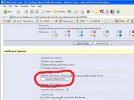
You're welcome. Another forumite emailed me and asked me how to attach pics to the post. (You can only do this if you are a gold member or better.)When you're typing a post, look down below and click on the button that says "Manage Attachments"
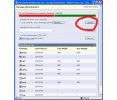
Then click the "Browse" button and find the file on your computer that you want to upload. It must be no larger than 800x600, and less than 100k in size.
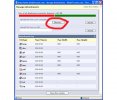
After you have selected the file you want, click upload. You can repeat the process in this same window, and upload several pics if you wish.
This will put the thumbnails in your post that viewers can click on. Hope this has been helpful.
This site uses cookies to help personalise content, tailor your experience and to keep you logged in if you register.
By continuing to use this site, you are consenting to our use of cookies.