posting pictures?

when you type your text in the box click the little picture of the mountain above the text box. then a box will appear to type the URL for where your picture is on the internet. just open a second window and go to the page where your picture is posted. (If you dont have a website use Photo Bucket or one of the other picture posting sites)
when you have the page with your pic just copy the URL and paste it into the box that appeared after you clicked on the little box with the mountains above the box you typed your message in.
 
Thanks Larry,i downloaded PhotoBucket but have failed to figure out how to post the picture.(sorry)What do i put in the URL box?

Hey Atomic good to here from someone that close.Maybe you could fill in your profile.Thanks for the help
 
When you post your photos on photo bucket click one to open it. then highlight the Web address at the top of the browser then copy the Web Address. then Simply go to the URL box and Right mouse click and Paste the Web address in that box.
 
Sorry to barge in here, but I've tried to post pics from Photobucket just (I think!) as described above and they don't show up. Any advice or tips?
 
Here's what I do.
I start the post and then click "Go Advanced'. It opens more options. Click "Manage attachments". Click "Browse" in the window that opens and it will take you to your computer (most likely "documents") go to where the pictures are stored and click "open" on the desired photo. It will jump back to the attachments window and click"Upload". You can browse again until you have uploaded 5 photos. Close the window when you have the photos loaded and finish whatever you want in the text, then just submit the post. The photos will appear as thumbnails.
Some tips:
When processing photos, crop them to the decides item. Extra stuff in the photo is more data bytes that will be used, and less knife (unless it is a killer babe in a bikini holding the knife).
After processing a photo it will be (most likely) too large to post as a thumbnail. Reduce the image size to 50-80KB range.
Check what your membership allows as far as posting photos.

I have recently been told another way to post larger photos, but still use this method, because it is so easy.
Stacy
 
Open your browser to Photo Bucket and if you have an account log in or register if you don't have an account. I'm assuming you have an account and already have uploaded a few pictures you want to post. Click on the picture you want to post. To the lower right of the image you should see a box that has Share URL Direct Link HTML Code and IMG Code. The one under IMG Code is the one you want. Click in the box under IMG Code and it should say "Copied" but if it doesn't just double click in it. If it refuses to say copied then do it the old fashion way by highlighting the text in the box and press CTRL+C.

Now that it's copied let's go back to the blade forums and post a message. Once you have the text box up and can type in it press CTRL+V to paste the text you copied.
 
Ok I usually do this from my web site so I am trying it out to make sure I was saying it correctly

Ok I did it wrong Sorry I will sork and this and get back today
Ok at Photo bucket copy the Direct Link beside the photo and Paste that in the URL box when you click the Mountain Photo Icon above
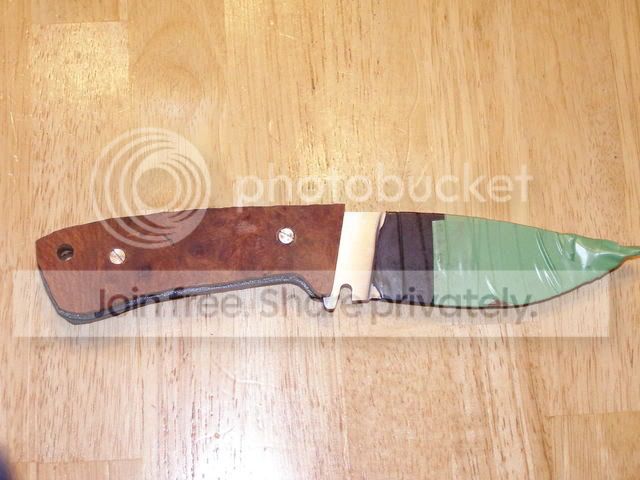
this is a knife that is actually done now

PB070234.jpg
 
Yeah exactly. But if you've never done it before it can be quite confusing. Once you've posted a few then someone asks you how to do it you would say "Oh it's easy you just..."
 
Ok when you open your photo in Photo bucket there will be a box beside the photo that says Direct Link copy that information with Right mouse click then paste in the URL Box. then it will appear

Remember to Resize your photo in a photo editor to make it smaller for Posting
before you load it to Photo Bucket

HK go back and edit your first knife thread and try that I would love to see your first knife.
 
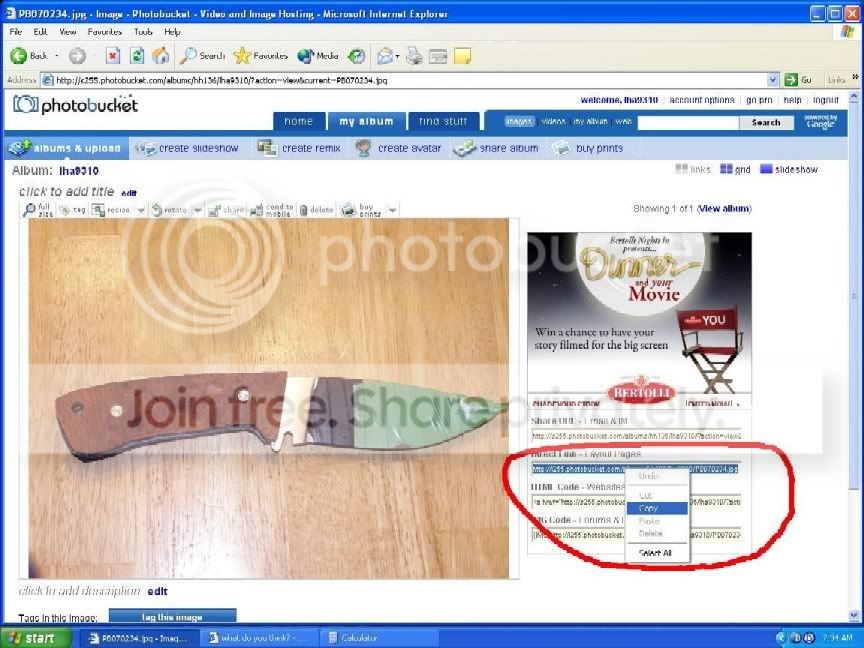
To post this picture I copied the link It is highlighted in beside the photo on the web page to the Right of the pic I circled it with Red on MS Paint. Highlight the entire link then right mouseclick it and copy. the entire link needs to be included in the URL box.
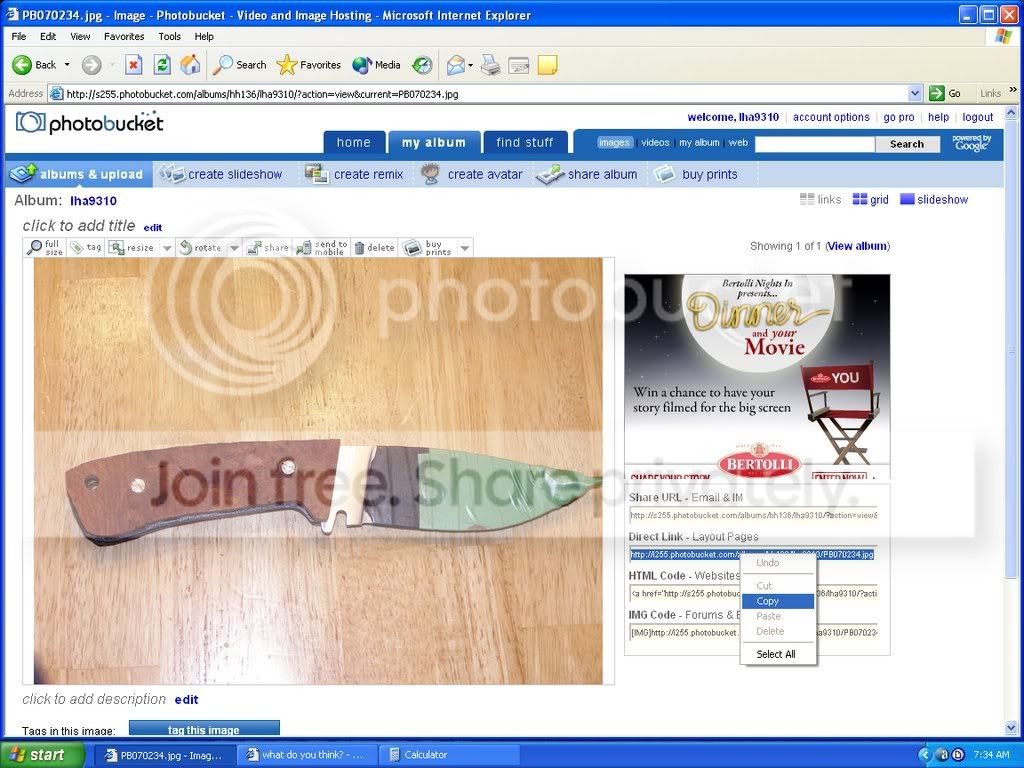
Howtopostpic-1.jpg
 
To post this picture I copied the link It is highlighted in beside the photo on the web page to the Right of the pic. Highlight the entire link then right mouseclick it and copy. the entire link needs to be included in the URL box.
Howtopostpic.jpg

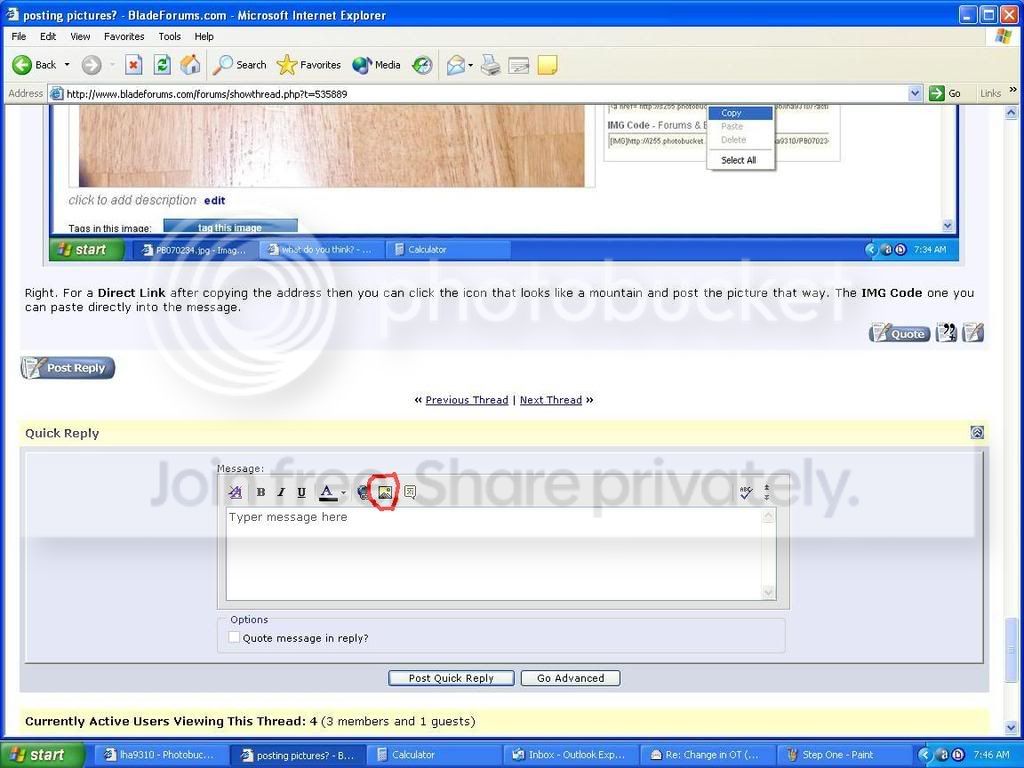
Right. For a Direct Link after copying the address then you can click the icon that looks like a mountain and post the picture that way. The IMG Code one you can paste directly into the message.
 
Ok i did some computer time today and got a 4 step process for after you upload them to photobucket.com
each step will be circled in Red.

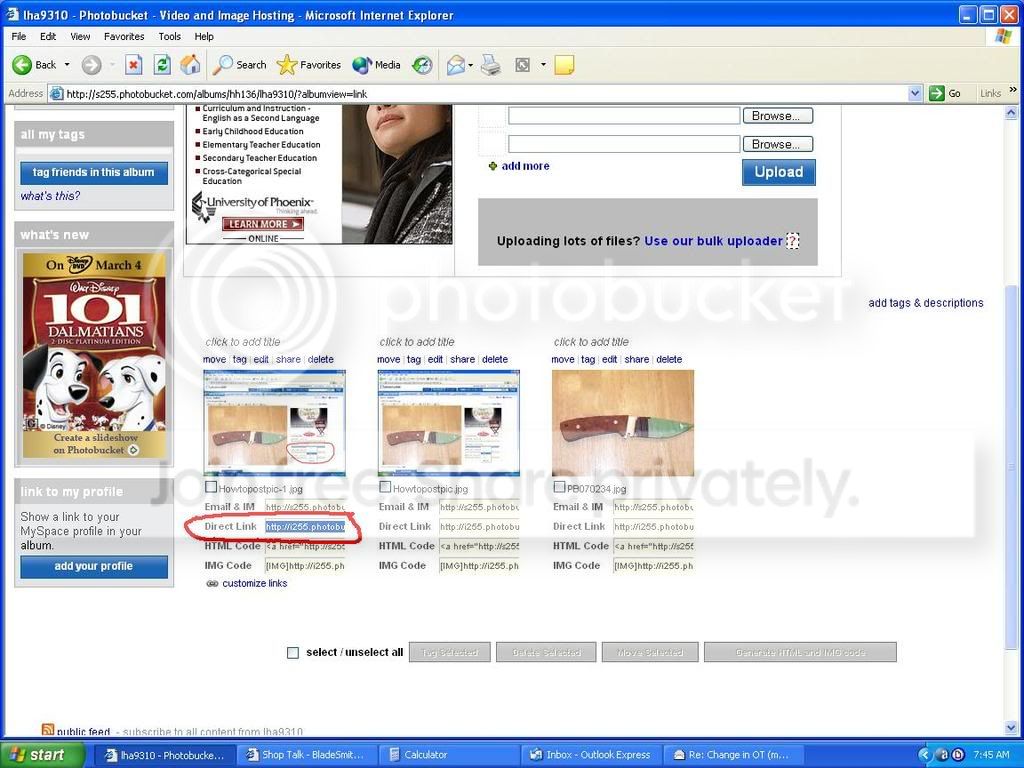
step one.
Click on the Direct link box below your photo in the first screen of the album right mouse click and copy the link.
StepOne.jpg


Step Two
Typer your text then click the Mountain Photo icon above the text.
StepTwo.jpg


Step Three
When the URL box appears Right click and paste the URL that you copied from the Direct link line to the URL make sure it has all of the info. (Best to have two Windows screens open for this step.)
StepThree.jpg


Step Four
if the image was pasted right it should have at each end of the link in the text box. if it does hit post quick reply and it should take you to the posting you did with the photo's open.
[IMG]http://i255.photobucket.com/albums/hh136/lha9310/StepFour.jpg
 
Why is it that when I open photobucket in a seperate window the bladeforums window closes and I have to go back and open it again? It just doesn't reduce, it actually closes? I guess I can just hit the back button, but I'd like it in a separate window, why is it only on photobucket?
 
Why is it that when I open photobucket in a seperate window the bladeforums window closes and I have to go back and open it again? It just doesn't reduce, it actually closes? I guess I can just hit the back button, but I'd like it in a separate window, why is it only on photobucket?

are you openign it through the start menu and opening a new internet window or just from favorites. if you open it from the link that is in this thread it should automaticly open a new window.
 
I put an icon or short cut on the desktop for photbucket and when I doubleclick I lose whatever window I had before. Let's say I'm on the forum and I decide to post a picture, if I reduce the window then click on the photobucket icon on my desktop the forum will close. It doesn't seem to open in separate window.
 
I have not heard of that before. try just putting it into the favorites in Windows then when you want to post to the forum Open Windows a second time from either the start menu or from the tile tab at the top of the window selecting new then window. then just open photo bucket fromt he favorites of the new window.
 
OK, it just seems easier to reduce the window then click on the shortcut but your way does work. Thanks!
 
Back
Top