
Site loading issues

kreole

Gold Member
Joined
Jul 23, 2009
Messages
4,678
Sometimes pages take a very long time to load, sometimes they don't load, sometimes I get a database error page, sometimes part of the page will load and then it will not finish or finish after a long time, and sometimes the page will load near-instantly--which is normal. When I say a long time, I mean sometimes it will be 20-30 seconds before the page starts to load, if it loads. The bottom bar stays at "Waiting for www.bladeforums.com...".

Between tests and finals at school and doing taxes, I'm not sure precisely how long this has been going on for me, but it's been something over a week. Before that, I never had any issues, but now it is consistent.

I don't know if it's me or the site, but I only have this problem on BF, and it occurs on multiple computers. I am curious which it is.

Here's a screenshot showing an example of where only the top part of the page will load. I took it maybe 10 seconds after that much of the page loaded. Notice it bottom thread bar is not entirely filled out, and that's as far down as I could scroll:
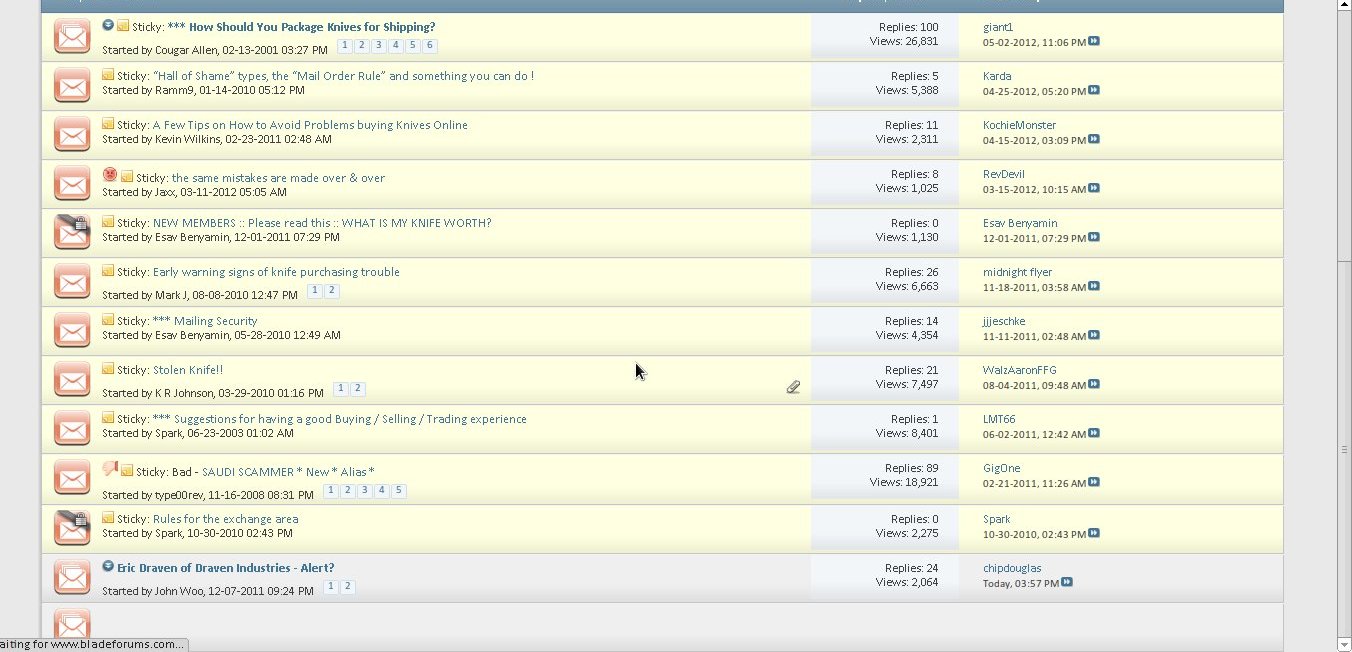
KsfJx.jpg


Here is one showing the database error, which sometimes occurs if the page doesn't load:

zcGEl.jpg


I tried pinging the site and don't see anything out of the ordinary, always between 35 and 55 ms with no packet loss, averaging about 40ms:
57 packets transmitted, 57 received, 0% packet loss, time 56083ms
rtt min/avg/max/mdev = 35.755/41.524/54.877/4.069 ms

Is anyone else having this occur or just me?
 
The $64 question is: what browser and version are you using? There is a known issue with Internet Explorer 8 and the forum here. I've had no problems since updating to IE 9, had no problems with SRWare Iron.
 
Eek, you're right. I should've posted that.

On Windows Xp x64 I'm using Chrome, on Linux Mint 12 I'm using Chromium, but both are version 18.0.1025.168.
 
Since we changed the firewall and upped server RAM and vCPU I'm surprised we're having any problems. Where are you where this is happening, work or home or both? Are you on the same network on both computers?
 
All at home, all on the same network. That's why I tried pinging it to see if maybe my router is dropping packets or something, but everything seems ok there. With your permission, I'll start pinging again and let it run longer to see if anything shows up--50 packets isn't much of a test. I haven't noticed any problems with other sites, gaming, streaming, or downloading (consistent 2-2.5mb/sec), but who knows. And it's not like it's happening occasionally, but it's happening most of the time and started pretty suddenly. That's not to say it happens all of the time. Sometimes pages load nearly instantly, as used to be the norm.

I tried a couple traceroutes and did catch a timeout at one stop along the way, #12 below, though that wouldn't explain the database error coming up, would it?

traceroute to 199.231.142.3 (199.231.142.3), 30 hops max, 60 byte packets
1 192.168.1.1 (192.168.1.1) 1.898 ms 1.968 ms 2.084 ms
2 68.34.223.1 (68.34.223.1) 10.530 ms 15.981 ms 16.333 ms
3 ge-2-17-ur02.sharpsridge.tn.knox.comcast.net (68.85.38.45) 16.727 ms 17.141 ms 18.073 ms
4 te-6-3-ar01.bluelight.tn.knox.comcast.net (68.85.171.205) 17.614 ms 22.723 ms 22.953 ms
5 xe-0-0-2-0-ar01.goodslettvll.tn.nash.comcast.net (68.86.176.137) 29.016 ms 30.053 ms 36.790 ms
6 pos-2-2-0-0-cr01.atlanta.ga.ibone.comcast.net (68.86.90.189) 36.995 ms pos-2-1-0-0-cr01.atlanta.ga.ibone.comcast.net (68.86.90.101) 33.704 ms 24.770 ms
7 xe-5-1-0.edge5.Atlanta2.Level3.net (4.28.24.37) 49.153 ms 49.519 ms 49.965 ms
8 vlan52.ebr2.Atlanta2.Level3.net (4.69.150.126) 55.065 ms 62.636 ms 54.604 ms
9 ae-8-8.car1.Nashville1.Level3.net (4.69.140.229) 55.938 ms 55.217 ms 62.709 ms
10 ae-11-11.car2.Nashville1.Level3.net (4.69.140.225) 63.405 ms 63.797 ms 63.340 ms
11 ae-2-2.car2.Louisville1.Level3.net (4.69.140.221) 65.833 ms 66.494 ms 56.238 ms
12 ae-11-11.car1.Louisville1.Level3.net (4.69.140.217) 105.017 ms 63.617 ms *
13 HOSTING.COM.car1.Louisville1.Level3.net (4.59.184.10) 40.459 ms 39.802 ms 47.938 ms
14 gi1-4.csw1.lou01.hosting.com (216.248.201.14) 45.649 ms 48.259 ms 48.092 ms
15 199.231.139.236.static.sdf.hosting.com (199.231.139.236) 48.284 ms 48.425 ms 48.200 ms
16 www.bladeforums.com (199.231.142.3) 51.849 ms 52.267 ms 52.620 ms

I tried a short burst of pinging that ip, which I think is the first stop outside the site's host:

zxcv@asdf ~/Kindle Hacks $ ping 4.69.140.217
PING 4.69.140.217 (4.69.140.217) 56(84) bytes of data.
64 bytes from 4.69.140.217: icmp_req=1 ttl=243 time=102 ms
64 bytes from 4.69.140.217: icmp_req=2 ttl=243 time=117 ms
64 bytes from 4.69.140.217: icmp_req=3 ttl=243 time=148 ms
64 bytes from 4.69.140.217: icmp_req=4 ttl=243 time=163 ms
64 bytes from 4.69.140.217: icmp_req=5 ttl=243 time=184 ms
64 bytes from 4.69.140.217: icmp_req=6 ttl=243 time=270 ms
64 bytes from 4.69.140.217: icmp_req=7 ttl=243 time=290 ms
64 bytes from 4.69.140.217: icmp_req=8 ttl=243 time=109 ms
64 bytes from 4.69.140.217: icmp_req=9 ttl=243 time=100 ms
64 bytes from 4.69.140.217: icmp_req=10 ttl=243 time=102 ms
64 bytes from 4.69.140.217: icmp_req=11 ttl=243 time=84.9 ms
64 bytes from 4.69.140.217: icmp_req=12 ttl=243 time=84.6 ms
64 bytes from 4.69.140.217: icmp_req=13 ttl=243 time=82.1 ms
64 bytes from 4.69.140.217: icmp_req=14 ttl=243 time=79.3 ms
64 bytes from 4.69.140.217: icmp_req=15 ttl=243 time=87.2 ms
64 bytes from 4.69.140.217: icmp_req=16 ttl=243 time=85.7 ms
64 bytes from 4.69.140.217: icmp_req=17 ttl=243 time=119 ms
64 bytes from 4.69.140.217: icmp_req=18 ttl=243 time=83.2 ms
64 bytes from 4.69.140.217: icmp_req=19 ttl=243 time=87.0 ms
64 bytes from 4.69.140.217: icmp_req=20 ttl=243 time=88.5 ms
64 bytes from 4.69.140.217: icmp_req=21 ttl=243 time=86.5 ms
64 bytes from 4.69.140.217: icmp_req=22 ttl=243 time=82.5 ms
^C
--- 4.69.140.217 ping statistics ---
23 packets transmitted, 22 received, 4% packet loss, time 22029ms
rtt min/avg/max/mdev = 79.313/120.058/290.599/57.768 ms


It seems a bit off that it is in the 80s most of the time yet jumps up to almost 300ms, plus there's some packet loss. I tried it for longer, and most of the time it stays in the 80-110ms range, but every so often, it jumps up to the 200's for a bit

zxcv@asdf ~/Kindle Hacks $ ping 4.69.140.217
PING 4.69.140.217 (4.69.140.217) 56(84) bytes of data.
64 bytes from 4.69.140.217: icmp_req=1 ttl=243 time=85.8 ms
64 bytes from 4.69.140.217: icmp_req=2 ttl=243 time=96.5 ms
64 bytes from 4.69.140.217: icmp_req=3 ttl=243 time=92.6 ms
64 bytes from 4.69.140.217: icmp_req=4 ttl=243 time=93.1 ms
64 bytes from 4.69.140.217: icmp_req=5 ttl=243 time=92.9 ms
64 bytes from 4.69.140.217: icmp_req=6 ttl=243 time=88.6 ms
64 bytes from 4.69.140.217: icmp_req=7 ttl=243 time=88.4 ms
64 bytes from 4.69.140.217: icmp_req=8 ttl=243 time=84.4 ms
64 bytes from 4.69.140.217: icmp_req=9 ttl=243 time=87.3 ms
64 bytes from 4.69.140.217: icmp_req=10 ttl=243 time=94.9 ms
64 bytes from 4.69.140.217: icmp_req=11 ttl=243 time=92.9 ms
64 bytes from 4.69.140.217: icmp_req=12 ttl=243 time=90.7 ms
64 bytes from 4.69.140.217: icmp_req=13 ttl=243 time=92.9 ms
64 bytes from 4.69.140.217: icmp_req=14 ttl=243 time=90.6 ms
64 bytes from 4.69.140.217: icmp_req=15 ttl=243 time=101 ms
64 bytes from 4.69.140.217: icmp_req=16 ttl=243 time=94.7 ms
64 bytes from 4.69.140.217: icmp_req=17 ttl=243 time=91.0 ms
64 bytes from 4.69.140.217: icmp_req=18 ttl=243 time=90.6 ms
64 bytes from 4.69.140.217: icmp_req=19 ttl=243 time=93.5 ms
64 bytes from 4.69.140.217: icmp_req=20 ttl=243 time=91.1 ms
64 bytes from 4.69.140.217: icmp_req=21 ttl=243 time=92.5 ms
64 bytes from 4.69.140.217: icmp_req=22 ttl=243 time=98.3 ms
64 bytes from 4.69.140.217: icmp_req=23 ttl=243 time=196 ms
64 bytes from 4.69.140.217: icmp_req=24 ttl=243 time=256 ms
64 bytes from 4.69.140.217: icmp_req=25 ttl=243 time=198 ms
64 bytes from 4.69.140.217: icmp_req=26 ttl=243 time=198 ms
64 bytes from 4.69.140.217: icmp_req=27 ttl=243 time=291 ms
64 bytes from 4.69.140.217: icmp_req=28 ttl=243 time=111 ms
64 bytes from 4.69.140.217: icmp_req=29 ttl=243 time=266 ms
64 bytes from 4.69.140.217: icmp_req=30 ttl=243 time=162 ms
64 bytes from 4.69.140.217: icmp_req=31 ttl=243 time=282 ms
64 bytes from 4.69.140.217: icmp_req=32 ttl=243 time=165 ms
64 bytes from 4.69.140.217: icmp_req=33 ttl=243 time=108 ms
64 bytes from 4.69.140.217: icmp_req=34 ttl=243 time=181 ms
64 bytes from 4.69.140.217: icmp_req=35 ttl=243 time=92.1 ms
64 bytes from 4.69.140.217: icmp_req=36 ttl=243 time=109 ms
64 bytes from 4.69.140.217: icmp_req=37 ttl=243 time=88.5 ms
64 bytes from 4.69.140.217: icmp_req=38 ttl=243 time=93.9 ms
64 bytes from 4.69.140.217: icmp_req=39 ttl=243 time=89.5 ms
64 bytes from 4.69.140.217: icmp_req=40 ttl=243 time=91.0 ms
64 bytes from 4.69.140.217: icmp_req=41 ttl=243 time=90.2 ms
64 bytes from 4.69.140.217: icmp_req=42 ttl=243 time=95.8 ms
64 bytes from 4.69.140.217: icmp_req=43 ttl=243 time=91.7 ms
64 bytes from 4.69.140.217: icmp_req=44 ttl=243 time=90.8 ms
64 bytes from 4.69.140.217: icmp_req=45 ttl=243 time=95.9 ms
64 bytes from 4.69.140.217: icmp_req=46 ttl=243 time=90.1 ms
64 bytes from 4.69.140.217: icmp_req=47 ttl=243 time=92.0 ms
64 bytes from 4.69.140.217: icmp_req=48 ttl=243 time=95.3 ms
64 bytes from 4.69.140.217: icmp_req=49 ttl=243 time=100 ms
64 bytes from 4.69.140.217: icmp_req=50 ttl=243 time=89.5 ms
64 bytes from 4.69.140.217: icmp_req=51 ttl=243 time=88.4 ms
64 bytes from 4.69.140.217: icmp_req=52 ttl=243 time=90.8 ms
64 bytes from 4.69.140.217: icmp_req=53 ttl=243 time=88.1 ms
64 bytes from 4.69.140.217: icmp_req=54 ttl=243 time=87.1 ms
64 bytes from 4.69.140.217: icmp_req=55 ttl=243 time=86.5 ms
64 bytes from 4.69.140.217: icmp_req=56 ttl=243 time=89.7 ms
64 bytes from 4.69.140.217: icmp_req=57 ttl=243 time=87.1 ms
64 bytes from 4.69.140.217: icmp_req=58 ttl=243 time=92.1 ms
64 bytes from 4.69.140.217: icmp_req=59 ttl=243 time=100 ms
64 bytes from 4.69.140.217: icmp_req=60 ttl=243 time=92.7 ms
64 bytes from 4.69.140.217: icmp_req=61 ttl=243 time=93.7 ms
64 bytes from 4.69.140.217: icmp_req=62 ttl=243 time=90.8 ms
64 bytes from 4.69.140.217: icmp_req=63 ttl=243 time=94.5 ms
64 bytes from 4.69.140.217: icmp_req=64 ttl=243 time=97.6 ms
64 bytes from 4.69.140.217: icmp_req=65 ttl=243 time=104 ms
64 bytes from 4.69.140.217: icmp_req=66 ttl=243 time=95.6 ms
64 bytes from 4.69.140.217: icmp_req=67 ttl=243 time=99.7 ms
64 bytes from 4.69.140.217: icmp_req=68 ttl=243 time=102 ms
64 bytes from 4.69.140.217: icmp_req=69 ttl=243 time=95.4 ms
64 bytes from 4.69.140.217: icmp_req=70 ttl=243 time=94.1 ms
64 bytes from 4.69.140.217: icmp_req=71 ttl=243 time=103 ms
64 bytes from 4.69.140.217: icmp_req=72 ttl=243 time=98.3 ms
64 bytes from 4.69.140.217: icmp_req=73 ttl=243 time=110 ms
64 bytes from 4.69.140.217: icmp_req=74 ttl=243 time=99.5 ms
64 bytes from 4.69.140.217: icmp_req=75 ttl=243 time=101 ms
64 bytes from 4.69.140.217: icmp_req=76 ttl=243 time=102 ms
64 bytes from 4.69.140.217: icmp_req=77 ttl=243 time=100 ms
64 bytes from 4.69.140.217: icmp_req=78 ttl=243 time=99.6 ms
64 bytes from 4.69.140.217: icmp_req=79 ttl=243 time=94.0 ms
64 bytes from 4.69.140.217: icmp_req=80 ttl=243 time=95.6 ms
64 bytes from 4.69.140.217: icmp_req=81 ttl=243 time=95.6 ms
64 bytes from 4.69.140.217: icmp_req=82 ttl=243 time=88.8 ms
64 bytes from 4.69.140.217: icmp_req=83 ttl=243 time=94.2 ms
64 bytes from 4.69.140.217: icmp_req=84 ttl=243 time=92.8 ms
64 bytes from 4.69.140.217: icmp_req=85 ttl=243 time=86.0 ms
64 bytes from 4.69.140.217: icmp_req=86 ttl=243 time=87.1 ms
64 bytes from 4.69.140.217: icmp_req=87 ttl=243 time=95.0 ms
64 bytes from 4.69.140.217: icmp_req=88 ttl=243 time=89.6 ms
64 bytes from 4.69.140.217: icmp_req=89 ttl=243 time=90.5 ms
64 bytes from 4.69.140.217: icmp_req=90 ttl=243 time=99.3 ms
64 bytes from 4.69.140.217: icmp_req=91 ttl=243 time=89.6 ms
64 bytes from 4.69.140.217: icmp_req=92 ttl=243 time=89.1 ms
64 bytes from 4.69.140.217: icmp_req=93 ttl=243 time=90.1 ms
64 bytes from 4.69.140.217: icmp_req=94 ttl=243 time=87.6 ms
64 bytes from 4.69.140.217: icmp_req=95 ttl=243 time=266 ms
64 bytes from 4.69.140.217: icmp_req=96 ttl=243 time=150 ms
64 bytes from 4.69.140.217: icmp_req=97 ttl=243 time=285 ms
64 bytes from 4.69.140.217: icmp_req=98 ttl=243 time=184 ms
64 bytes from 4.69.140.217: icmp_req=99 ttl=243 time=217 ms
64 bytes from 4.69.140.217: icmp_req=100 ttl=243 time=101 ms
64 bytes from 4.69.140.217: icmp_req=101 ttl=243 time=219 ms
64 bytes from 4.69.140.217: icmp_req=102 ttl=243 time=113 ms
64 bytes from 4.69.140.217: icmp_req=103 ttl=243 time=257 ms
64 bytes from 4.69.140.217: icmp_req=104 ttl=243 time=103 ms
64 bytes from 4.69.140.217: icmp_req=105 ttl=243 time=146 ms
64 bytes from 4.69.140.217: icmp_req=106 ttl=243 time=145 ms
64 bytes from 4.69.140.217: icmp_req=107 ttl=243 time=227 ms
64 bytes from 4.69.140.217: icmp_req=109 ttl=243 time=99.7 ms
64 bytes from 4.69.140.217: icmp_req=110 ttl=243 time=189 ms
64 bytes from 4.69.140.217: icmp_req=112 ttl=243 time=212 ms
64 bytes from 4.69.140.217: icmp_req=113 ttl=243 time=98.1 ms
64 bytes from 4.69.140.217: icmp_req=114 ttl=243 time=96.8 ms
64 bytes from 4.69.140.217: icmp_req=115 ttl=243 time=96.3 ms
64 bytes from 4.69.140.217: icmp_req=116 ttl=243 time=101 ms
64 bytes from 4.69.140.217: icmp_req=117 ttl=243 time=91.2 ms
64 bytes from 4.69.140.217: icmp_req=118 ttl=243 time=99.6 ms
64 bytes from 4.69.140.217: icmp_req=119 ttl=243 time=92.1 ms
64 bytes from 4.69.140.217: icmp_req=120 ttl=243 time=94.5 ms
64 bytes from 4.69.140.217: icmp_req=121 ttl=243 time=98.8 ms
64 bytes from 4.69.140.217: icmp_req=122 ttl=243 time=98.1 ms
64 bytes from 4.69.140.217: icmp_req=123 ttl=243 time=97.1 ms
^C
--- 4.69.140.217 ping statistics ---
124 packets transmitted, 121 received, 2% packet loss, time 123167ms
rtt min/avg/max/mdev = 84.496/116.381/291.900/50.244 ms
 
I've been getting that same page occasionally, but it's just once every few days or so and then it loads right up on a refresh.
 
Back
Top