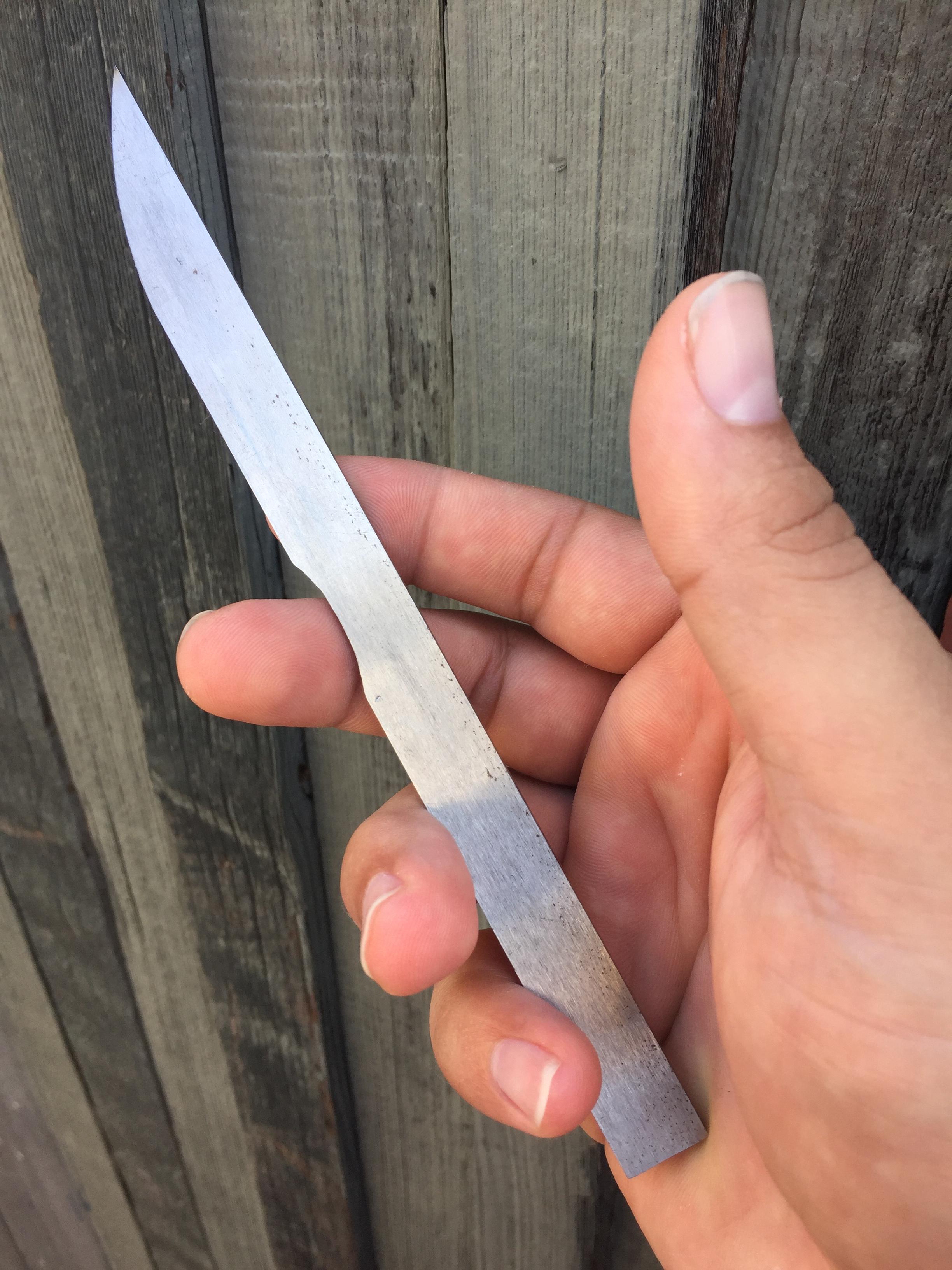
Working on my first knife

Joined
Mar 28, 2004
Messages
25
So I had mentioned in another thread all the inspiration I had to actually get started on making my first knife. I've made a pocket tool, and 3D print regularly but knives have always seemed too artistic for me. I have a mathematical mind, I can't freehand draw a passable circle or triangle if I had to.

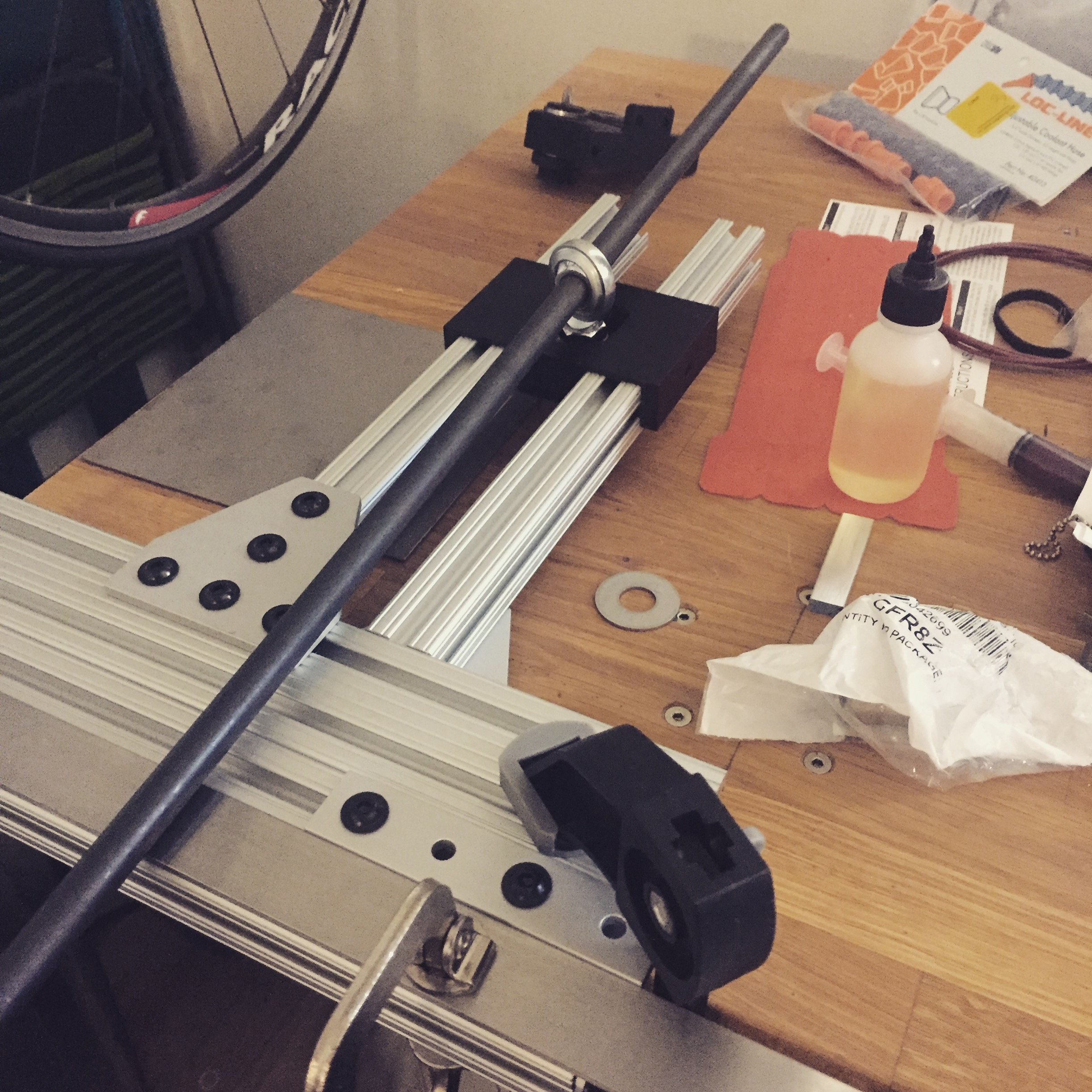
So I start with making a file jig. Belt sanders are cool, but I have too much junk in my back patio, and I want to start small and slow too. Plus, I like making jigs. I used 80/20 parts, and 3D printed a solution to use a rod end instead of an eye bolt.
T2bdyqx.jpg


This was pretty fun to make, just needed to fine tune how I was going to clamp the blade and make the plunge line stop. I ended up using screws through the mount holes to provide a back stop, then clamp down on the steel.

So now, to figure out what to make. I figure a steak knife would be a good start. Small knife, pretty simple. I think I'm starting with 1/8" stock O1.... I forgot what I had ordered. I feel like 1080 or 1075 may have been a better start, but O1 is the least expensive for me to get in usable sizes on my way home for work.

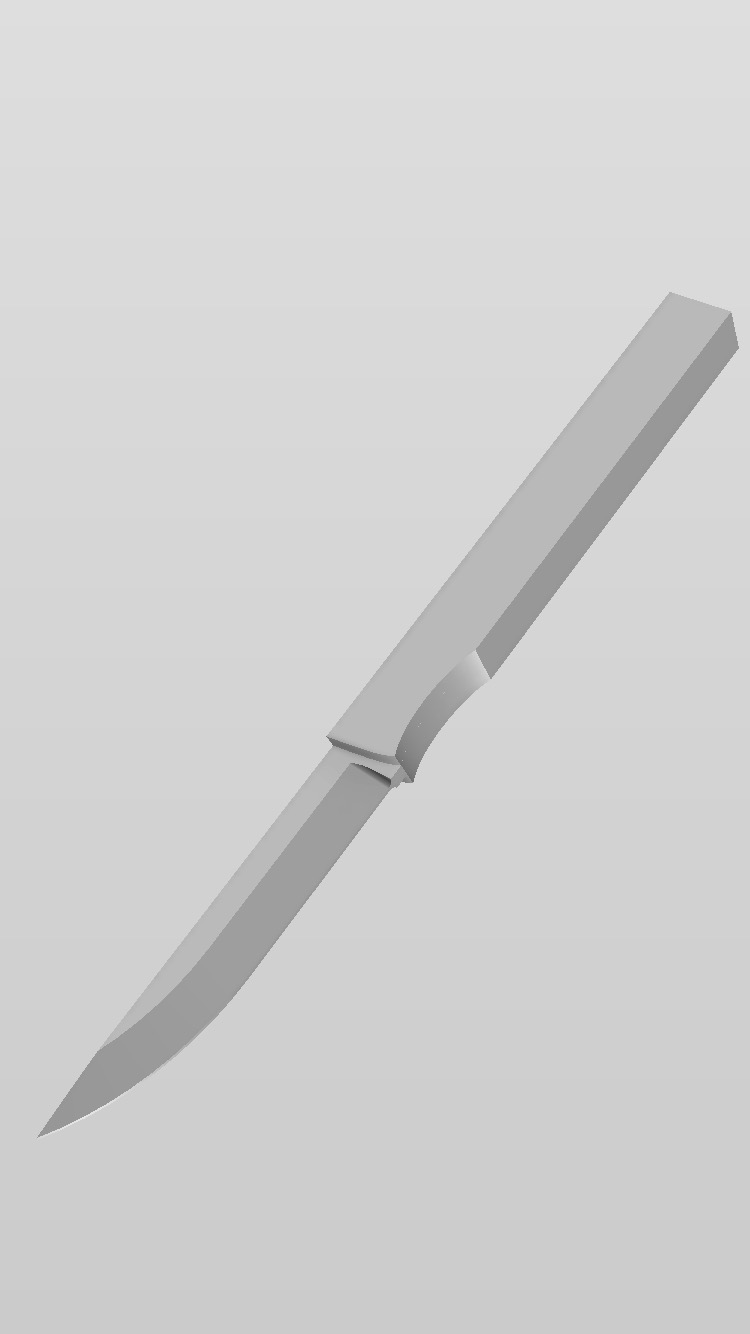
I made a rough model of the knife in Fusion 360 so I could print out various stencils of the blade profiles and handle.
yHpEAPg.jpg


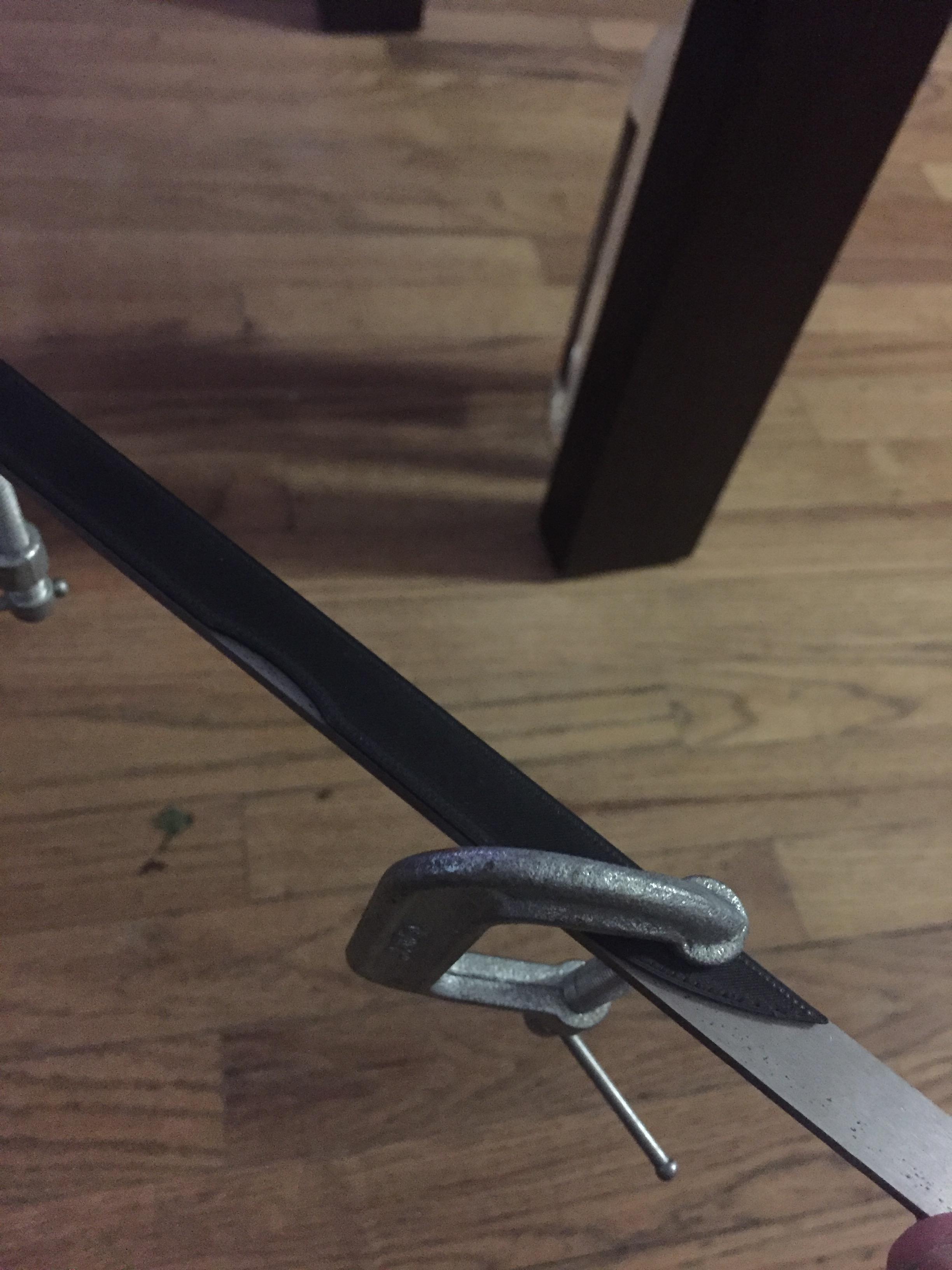
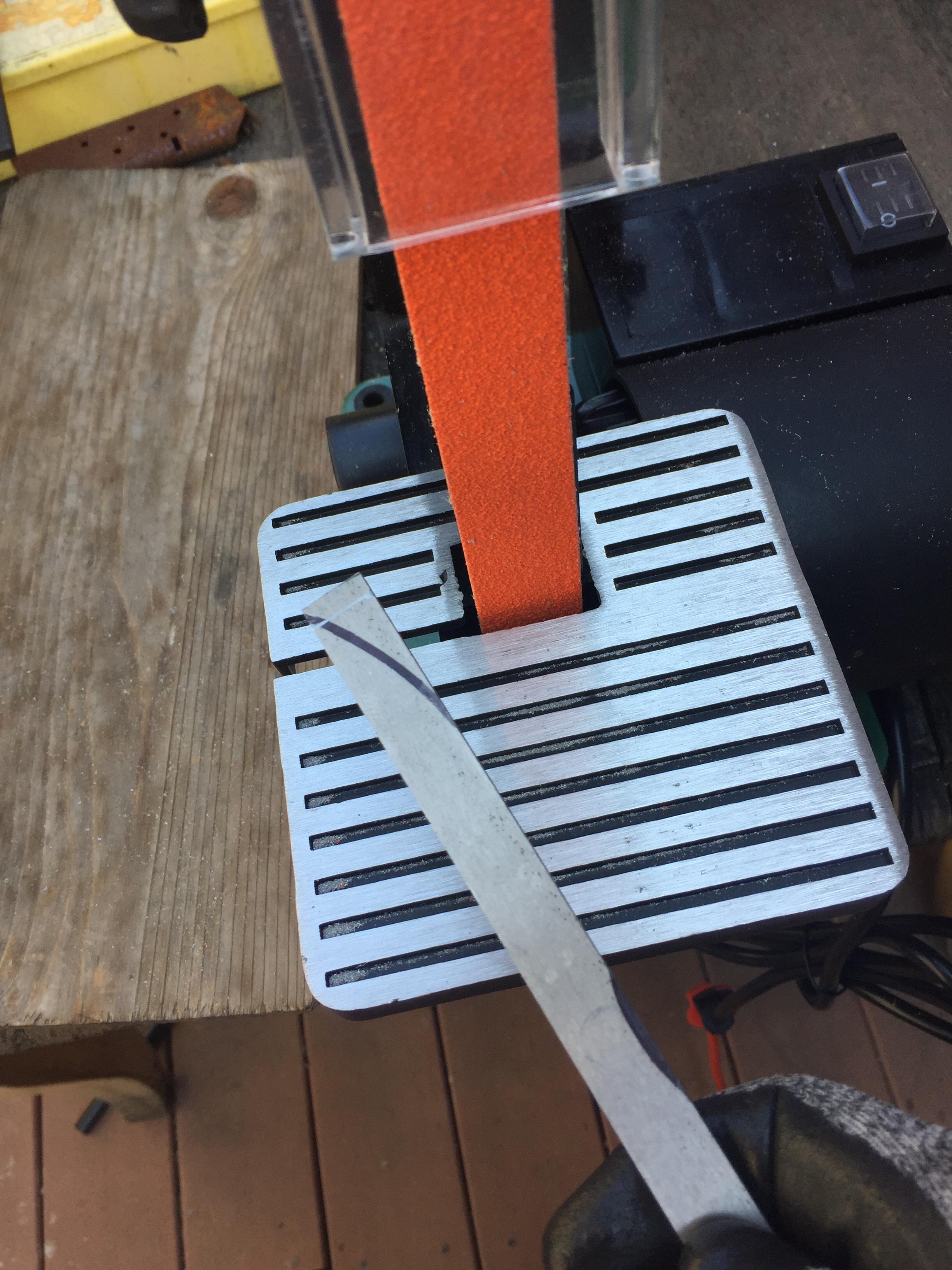
Next I printed up the stencils and got to work on marking my lines and making cuts.
WCfHHbn.jpg


7VjMlDB.jpg


Pa8m5TT.jpg


MTVJ4sA.jpg


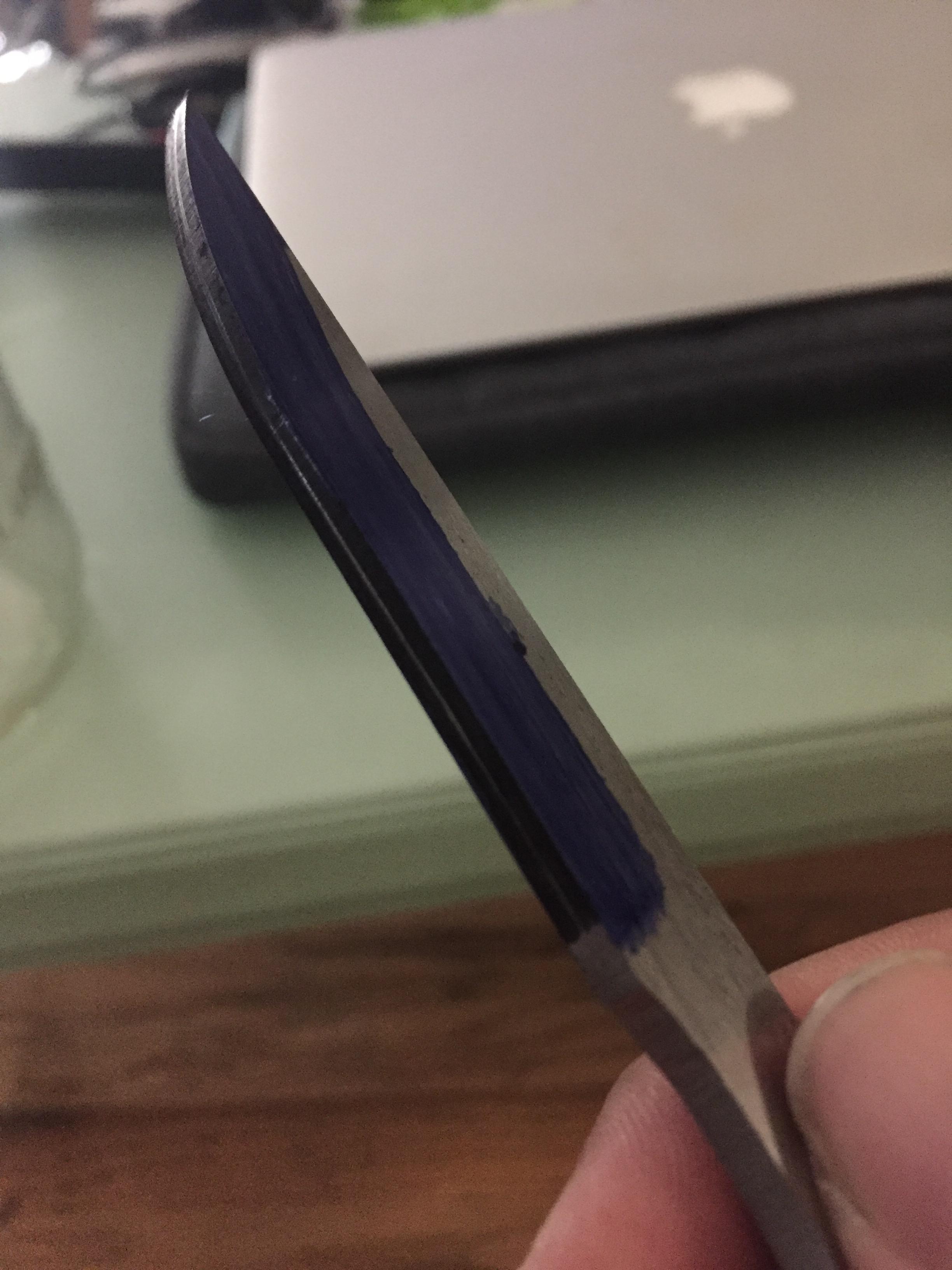
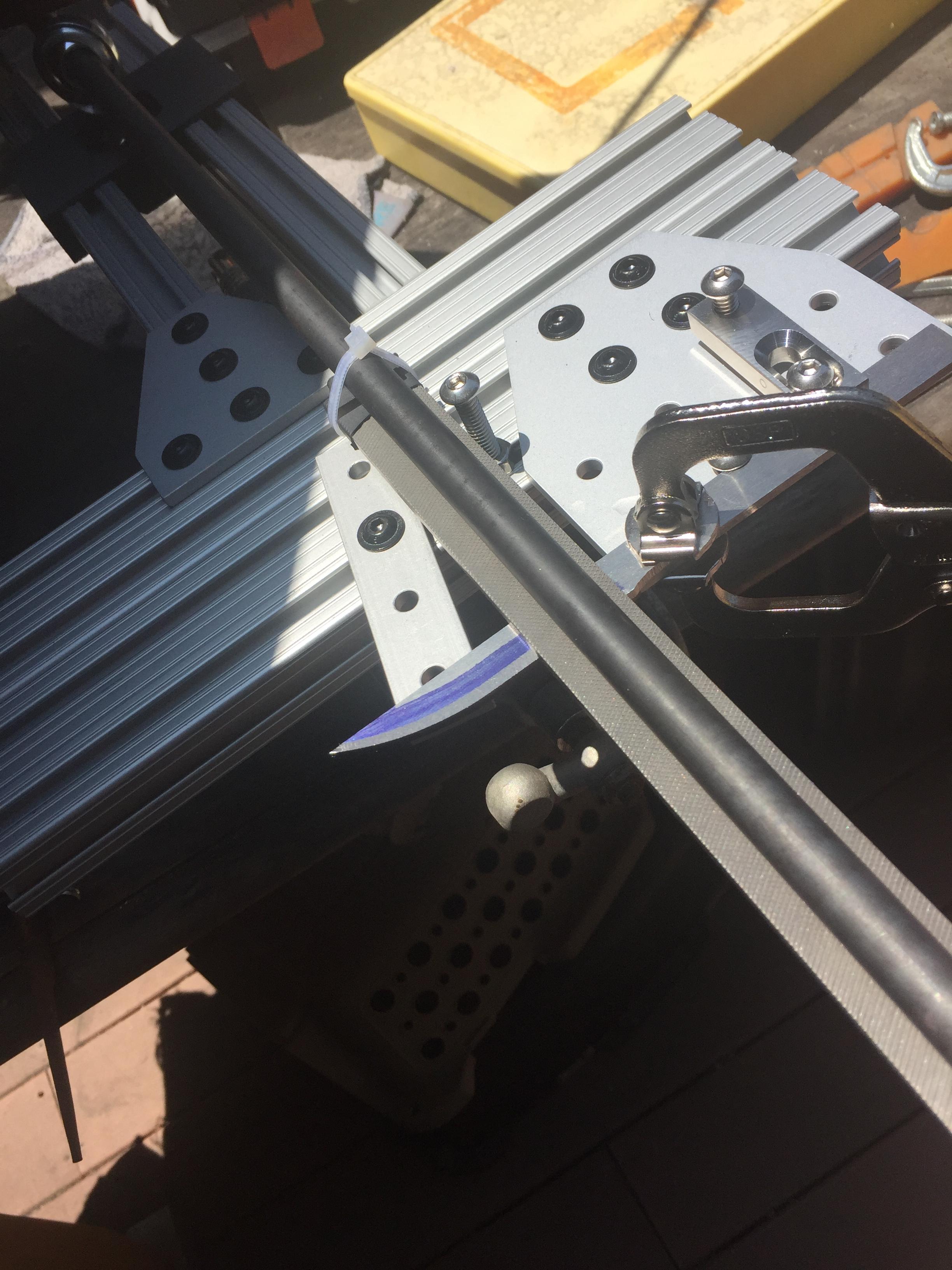
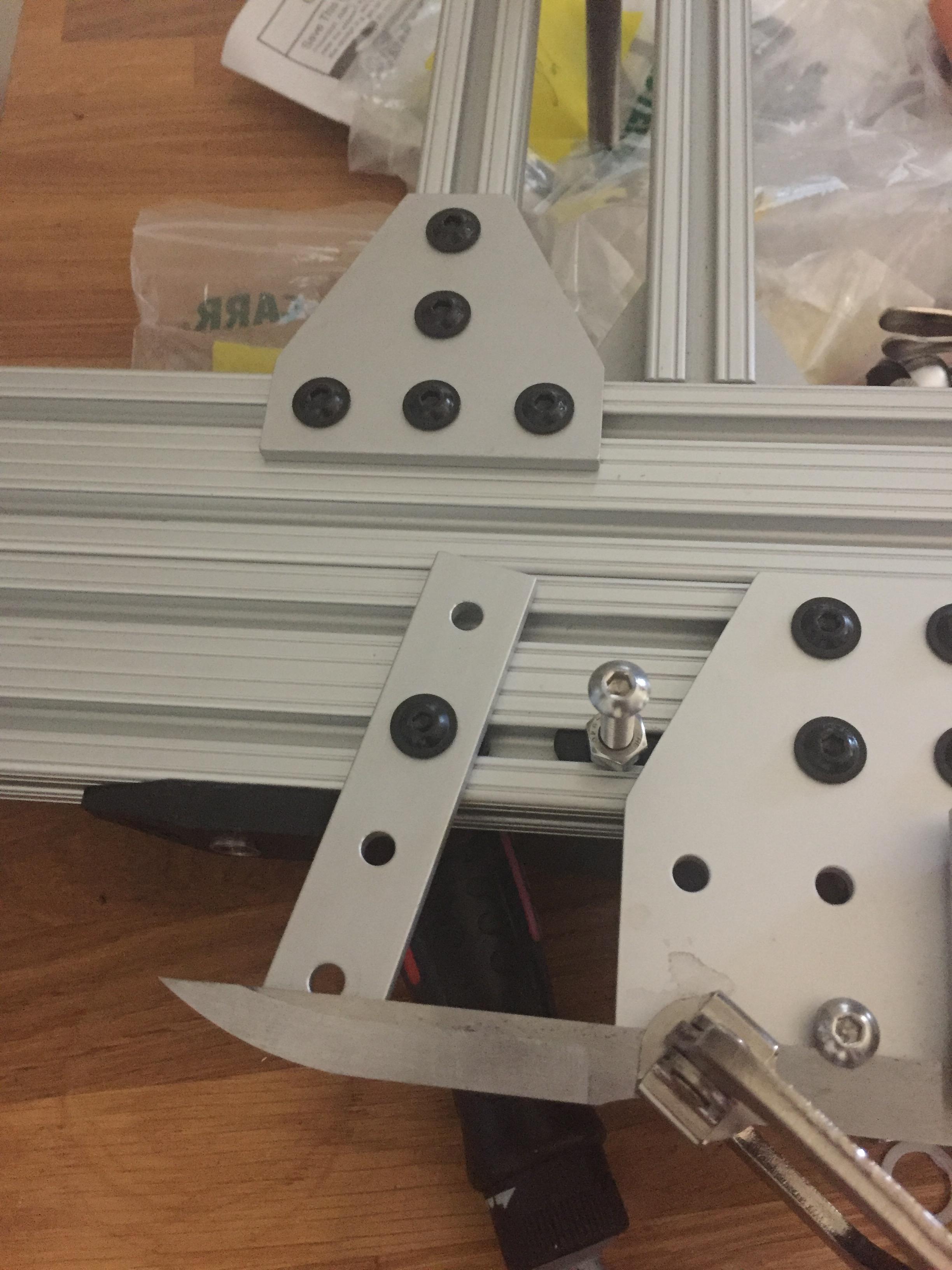
Now time to really get down to the bevel. I did realize I should have just scribed the bevel line, it's much sharper. Maybe I'd use a spray dykem? I originally had my file zip tied onto the rod, but it started to come loose, so I went to hose clamps. I also made a very intricate, cool plunge line stop using a bearing to hold a 1/4" rod... but so far I think I like a simple 1/4"-20 bolt the best.

This takes some considerable time too. A couple hours in, and though I took some time figuring out the best way to adjust my angles, I didn't fully get one side done.

nQcrYjk.jpg


And here's my simplified plunge line stop.

6pCftUM.jpg


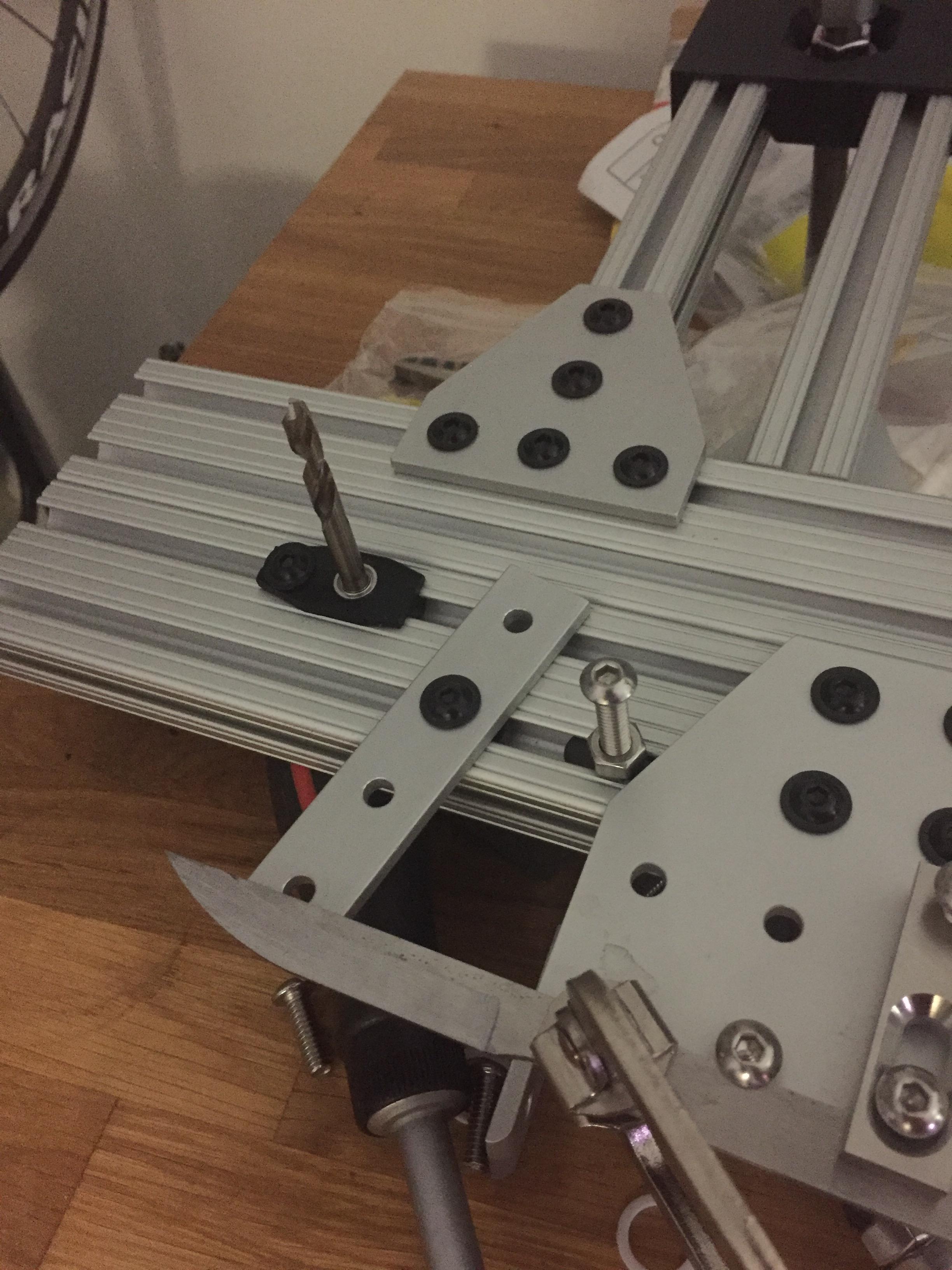
Here's my new revised stop that I'll test out next session.

XieGqRO.jpg


My thought is that I can set my stops as my first step, then I'll know where to clamp my blade down, and I'll be able to go from side to side to get an even bevel on each side (Not planning to use a drill bit like that in use).

I would like to make a template for my blade in the future that will index the clamping point for a repeatable position.

Considering how slow the steel files away, what's the best way to finish up the bevels after heat treat? Should I just keep using the file and expect slower material removal?
 
So I got a heat treat in, not sure if it took, but I smacked some maple on the not finished edge and there was no deformation... so eh, I'm not concerned about it either way. My plan has always been to send out for professional heat treat, but I just want to practice getting my shapes down.

I cleaned up my bevels by draw filing before the heat treat, and again afterwards to clean off the scale, but I can't get to the plunge area at all (it's also pretty gouged up by some very faulty early filing). I've already ground up farther than I wanted, but whats the best way to get to that area? Should I put sandpaper on my filing jig and go back at it there?
 
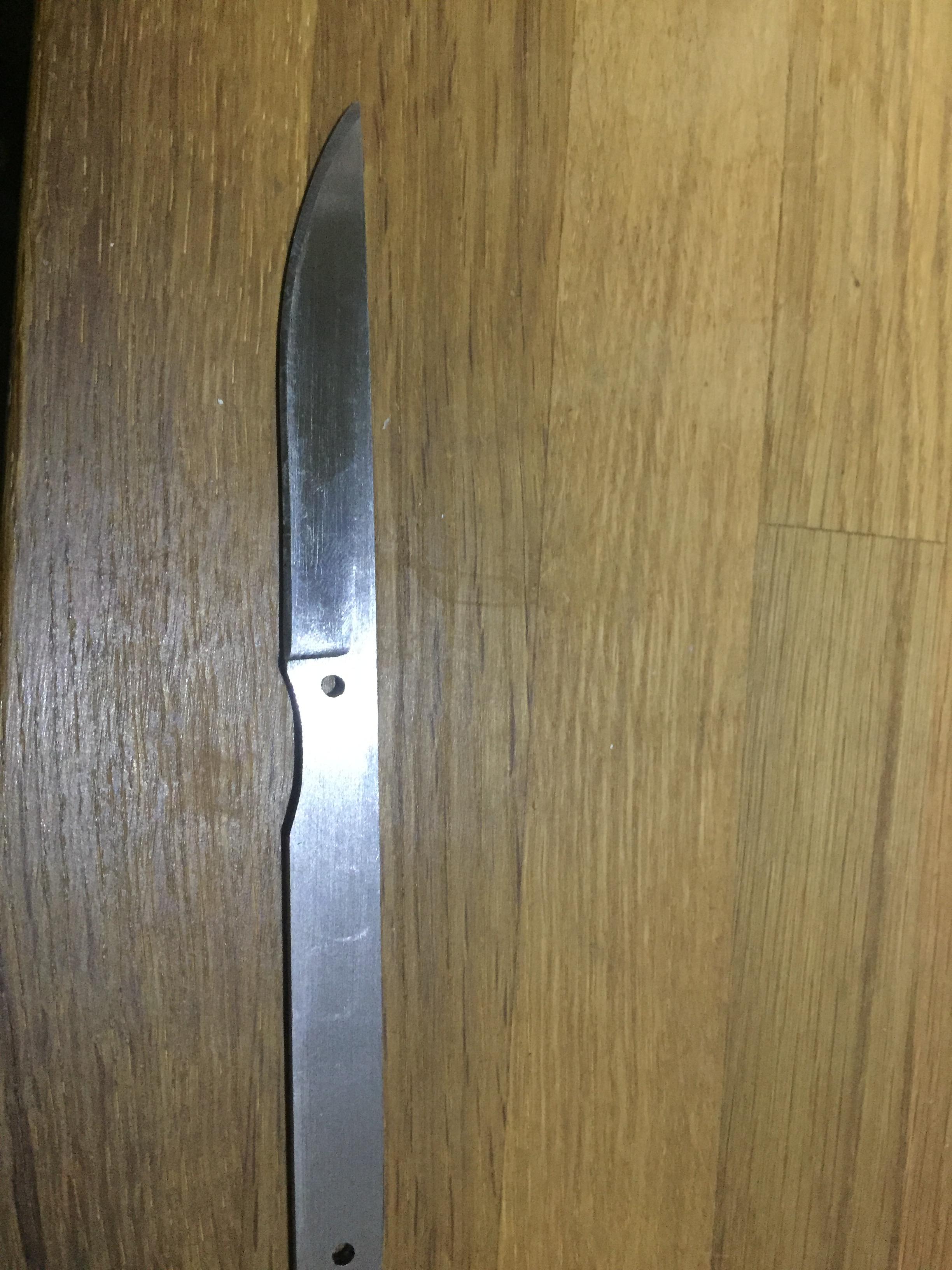
I got impatient waiting for my handle materials, and was really curious if my heat treat took. Then I just caved to some friendly peer pressure and decided to go ahead and put an edge on it.

TBNNrZy.jpg


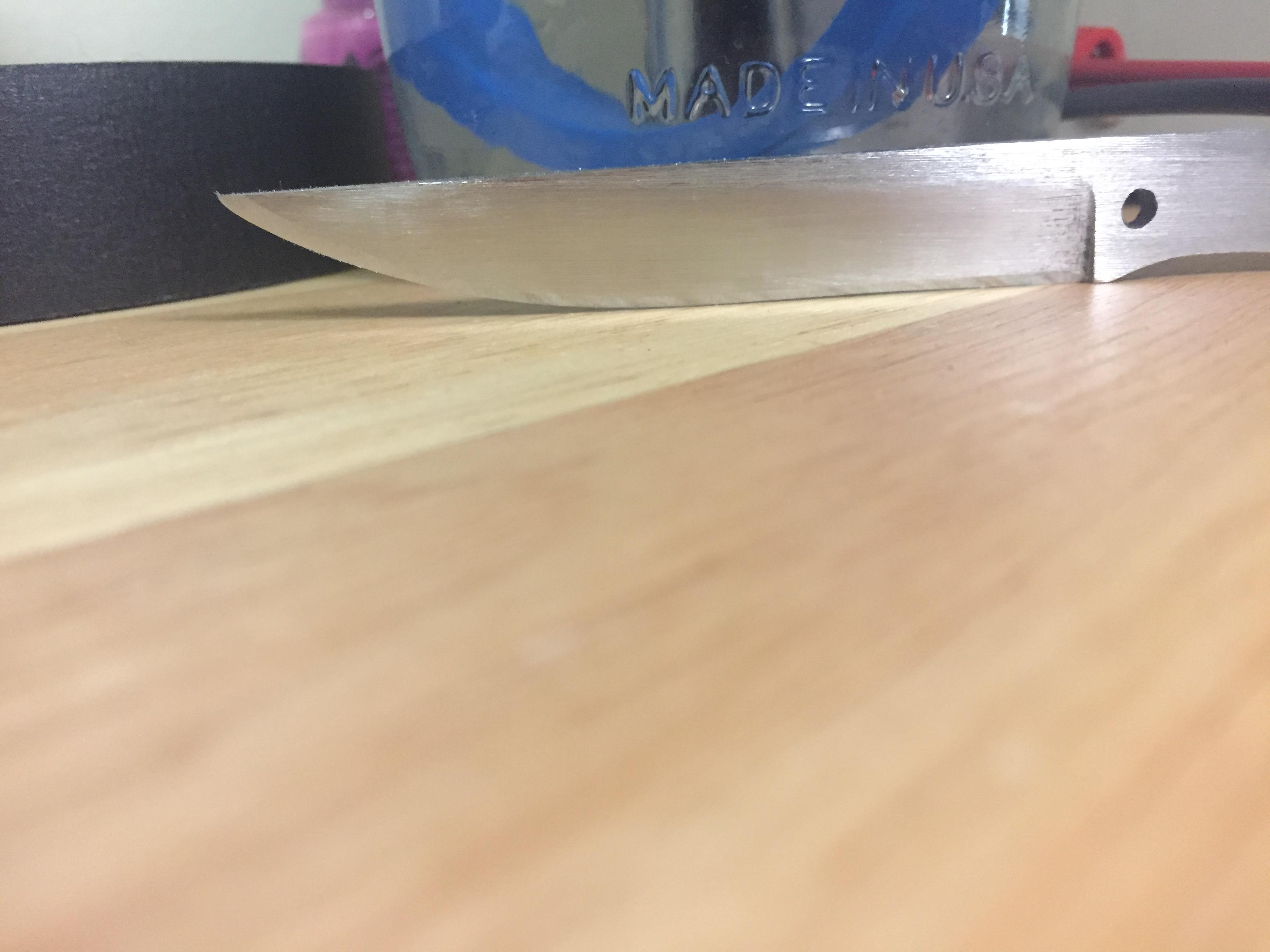
It's a good thing I did because I can clearly see where my grinds were uneven. I left about .030" on the edge before heat treat with a bit more on the tip, and I was advised to just go to sanding, and then putting an edge on it after the heat treat. Doesn't seem like that was good advice. I think on my next one I'll file down to a minor edge after heat treat, then draw file only the flats, and sand before putting on my edge.

I'm also going to get the super coarse wicked edge stones, even the 100 took a long time to get an edge on this. I basically only took it to a 20DPS 200 grit finish, but it still shaved some hairs and has been opening boxes for a couple days.

EJIkDUt.jpg


Hopefully I'll have my Mill by the beginning of September to make a good jig for trying out bevels on my 1x42 sander.
 
After HT you won't be doing any filing on the bevels. Al the metal removal after HT will have to be done with abrasives ( sandpaper and belts) or with stones. You take about .01" off each side and leave the edge at .010" and then fo to final sanding where you take it up to the desired finish. The egd will be sharpened last. If you sharpen the edge for testing before affixing a handle, either tape it up well or dull it down so you won't get a bad cut when doing the handle work.
 
Really? I had some low grit sandpaper and all that managed to happen was all the grit rubbing off the paper leaving me with just some smoothish paper and some mildly scratched steel.

I have more proper sandpaper coming in today or tomorrow. I'll give it another shot.
 
A file won't remove hardened steel. If it does, the blade did not harden properly.

For knifework you want silicon carbide or other metal grade sandpaper. Mst of us use the black 3-M wet-or-dry type or specialty papers like Ryno-wett.The carse garnet type won't work. 100 grit is as coarse as you want for hand sanding. then switch op 220 grit to clean up the scratches. Use a hard backing block when sanding to keep things flat and crisp. A block of hard wood ( lignum vitae is perfect), phenolic ( micarta) or aluminum is perfect. Wet sand with a few drops of water in the dip pan. Dry and oil the blade when not sanding, even for just an hour. Just ask any maker who does a lot of wet sanding why that is important :)
If you take a break, one trick is to lay the blade in the dip pan. If it is under the water, it won't rust. It is the oxygen in the air reacting with a damp blade that makes it rust.
I know one person who has a PVC tube that is filled with old quench oil. It looks like a FC etch tank. He sticks the blades in it when not sanding. He can pull one out months later and immediately go back to sanding with no issues. He also uses light oil for his sanding lube.
 
So I had mentioned in another thread all the inspiration I had to actually get started on making my first knife. I've made a pocket tool, and 3D print regularly but knives have always seemed too artistic for me. I have a mathematical mind, I can't freehand draw a passable circle or triangle if I had to.

So I start with making a file jig. Belt sanders are cool, but I have too much junk in my back patio, and I want to start small and slow too. Plus, I like making jigs. I used 80/20 parts, and 3D printed a solution to use a rod end instead of an eye bolt.

T2bdyqx.jpg


This was pretty fun to make, just needed to fine tune how I was going to clamp the blade and make the plunge line stop. I ended up using screws through the mount holes to provide a back stop, then clamp down on the steel.

So now, to figure out what to make. I figure a steak knife would be a good start. Small knife, pretty simple. I think I'm starting with 1/8" stock O1.... I forgot what I had ordered. I feel like 1080 or 1075 may have been a better start, but O1 is the least expensive for me to get in usable sizes on my way home for work.

I made a rough model of the knife in Fusion 360 so I could print out various stencils of the blade profiles and handle.

yHpEAPg.jpg


Next I printed up the stencils and got to work on marking my lines and making cuts.
WCfHHbn.jpg


7VjMlDB.jpg


Pa8m5TT.jpg


MTVJ4sA.jpg


Now time to really get down to the bevel. I did realize I should have just scribed the bevel line, it's much sharper. Maybe I'd use a spray dykem? I originally had my file zip tied onto the rod, but it started to come loose, so I went to hose clamps. I also made a very intricate, cool plunge line stop using a bearing to hold a 1/4" rod... but so far I think I like a simple 1/4"-20 bolt the best.

This takes some considerable time too. A couple hours in, and though I took some time figuring out the best way to adjust my angles, I didn't fully get one side done.
nQcrYjk.jpg


And here's my simplified plunge line stop.
6pCftUM.jpg


Here's my new revised stop that I'll test out next session.
XieGqRO.jpg


My thought is that I can set my stops as my first step, then I'll know where to clamp my blade down, and I'll be able to go from side to side to get an even bevel on each side (Not planning to use a drill bit like that in use).

I would like to make a template for my blade in the future that will index the clamping point for a repeatable position.

Considering how slow the steel files away, what's the best way to finish up the bevels after heat treat? Should I just keep using the file and expect slower material removal?
How did you post the pictures? I tried using Imgur and could make no sense out of it. The instructions in other threads were lost on me. Good effort on your first. I could also use an understanding of Fusion 360. But one thing at a time.
 
A file won't remove hardened steel. If it does, the blade did not harden properly.

For knifework you want silicon carbide or other metal grade sandpaper. Mst of us use the black 3-M wet-or-dry type or specialty papers like Ryno-wett.The carse garnet type won't work. 100 grit is as coarse as you want for hand sanding. then switch op 220 grit to clean up the scratches. Use a hard backing block when sanding to keep things flat and crisp. A block of hard wood ( lignum vitae is perfect), phenolic ( micarta) or aluminum is perfect. Wet sand with a few drops of water in the dip pan. Dry and oil the blade when not sanding, even for just an hour. Just ask any maker who does a lot of wet sanding why that is important :)
If you take a break, one trick is to lay the blade in the dip pan. If it is under the water, it won't rust. It is the oxygen in the air reacting with a damp blade that makes it rust.
I know one person who has a PVC tube that is filled with old quench oil. It looks like a FC etch tank. He sticks the blades in it when not sanding. He can pull one out months later and immediately go back to sanding with no issues. He also uses light oil for his sanding lube.
Be careful with the sandpaper. I use a 12" flat bar. With 220 grit under pressure you can put really deep scratches on the surface that are very hard to get out. It can take hours to fix that.
 
Won't remove hardened steel? Or won't remove it efficiently? I just filed a groove in a 420HC crappy leatherman blade spine pretty easily, so while I know I didn't get a great heat treat, at least I feel like I got some heat treat again. I also used a file to knock off the edges of my Al Mar Sere operator a while back when I took off the handles for cord wrap. I think only my maxamet blade would be able to actually resist a few of my files, but I'm not really wanting to go around scratching things.

I do have the automotive 3m sandpaper coming in, and I've been using an aluminum bar as a block. I liked it a lot with the higher grit, hopefully it'll work out.

Howard: When you upload pictures to imgur, you get a handful of links they provide you. I use the one labeled "direct link" and insert that with the image insert icon here.

I learned fusion360 through youtube mostly. Follow some of the long tutorials from start to finish. I can't remember which ones I watched, but 3d printing helped a lot too, you can see where you need to make your adjustments in practice. It's basically free, and save for a few more advanced functions, wouldn't have even looked at solidworks otherwise.
 
I am using the IPhone app. The list of Icons that I get from upload are from facebook, message,safari and 7 more, none of which are called direct link. Also I do not get the interface with Blade Forums. Is the "here" you referenced in the reply the blade forums image insert icon? I do apologize for my deficiency here but I am certain that i am not alone. Thanks for the help.
 
Ah, yeah. I'm not using any apps. I upload to imgur from my phone w/o the app. But I post usually from my laptop.
 
That was weird, somehow that post automatically got posted instead of just being saved... maybe from being logged in on both my phone and computer.

Anwyays, you can post from your phone too, I just go the bladeforums site through safari, go down to post my reply. The "image" icon is located in the strip of options directly above the text box, it's the icon of a mountain, directly between the smiley face and film strip. Click on that, then past the "direct link" from imgur.

try logging into imgur from safari. Then click the menu button on the left side of the page to go to your images. click on the image you want. At the top of the page, just above your picture, there's a drop down that starts with "link" and to the right of that is a web link. click on the "link" drop down and go to "direct link", then copy the link that generates to the right of it.
 
That was weird, somehow that post automatically got posted instead of just being saved... maybe from being logged in on both my phone and computer.

Anwyays, you can post from your phone too, I just go the bladeforums site through safari, go down to post my reply. The "image" icon is located in the strip of options directly above the text box, it's the icon of a mountain, directly between the smiley face and film strip. Click on that, then past the "direct link" from imgur.

try logging into imgur from safari. Then click the menu button on the left side of the page to go to your images. click on the image you want. At the top of the page, just above your picture, there's a drop down that starts with "link" and to the right of that is a web link. click on the "link" drop down and go to "direct link", then copy the link that generates to the right of it.
Thanks. I will print your reply and try all this again tomorrow night. I appreciate your efforts.
 
no problem, it took me a while to get get it all sorted out. For the longest time I just didn't bother with pictures if I couldn't directly upload straight into my post because I refuse to add an app for every website.
 
Back
Top