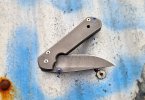
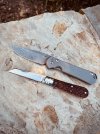
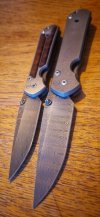
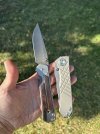
Damascus EDC, the start of a journey: Est. 2017 (w. Dec 2024 update).

Great pics! I just broke down mine and cleaned it last week. It calls to me this time of year for some reason. The simple utility of the 21 is complimented well by the understated elegance of the gray blade.

ZzwDT4J.jpg
Beautiful
 
It's been way too long since I've posted an update in this thread. I haven't been carrying this every day but it still gets pulled out and put to use fairly often.
This one was carried every work day for at least a year starting in May of 2022 when I bought it new. I am surprised at how well it has held up.
Yes, the pattern has faded, the thumb stud is no longer blue, and the scales have a lot of marks on them...
But, I still refrain from sending it in for a spa. I like the way it looks now, especially knowing how much work this knife has done for me.
Yes, these CRK's are beautiful and they aren't cheap... but they beg to be used! And the more they're used, the better they become, in my opinion!

New, the day that I got it in May of 2022:

View attachment 2590977

June 1, 2024:


View attachment 2590978

I do love the good honest wear. In my opinion, just makes these knives look even better.
 
I'm just thankful that it also seems to be about the last stronghold on the internet (that I visit) that doesn't have bots swaying the opinion.
 
Trying again. I guess Imgur is blocked on this site? I dunno

Tried all three ways Imgur provides for pasting a link: link, post link, direct link. Anyways……i did my best.

Imgur used to work fine. I don’t know what has changed. Whether it’s BF or Imgur.


In short, still me favourite CRK and it’s doin great. You’ll have to trust me on this one. For my eyes only it seems.
 
Last edited:
Trying again. I guess Imgur is blocked on this site? I dunno

Tried all three ways Imgur provides for pasting a link: link, post link, direct link. Anyways……i did my best.

Imgur used to work fine. I don’t know what has changed. Whether it’s BF or Imgur.


In short, still me favourite CRK and it’s doin great. You’ll have to trust me on this one. For my eyes only it seems.
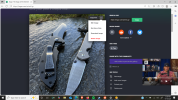
Click the 3 dots in the top right of your photo in imgur.
Screenshot (1733).png
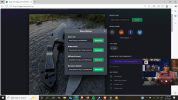
Click "Get share links"
Screenshot (1734).png
Then hit "Copy link" under "BBCode (Forums)
Screenshot (1735).png

Then you just paste the link here in the thread and your good to go. 🍻
 
I don’t seem to have this option, are you on the paid version of Imgur? Maybe I’m just too cheap!?? 😝
No, I don't pay imgur at all. You have to make a free account. And then at the top right of the website screen there's a little green icon for your profile. Click that and hit "posts". That will take you to the images that you've posted. Then, when you click on the image that you want to post, you follow the instructions that I posted above.
 
Back
Top